

Things Required Before You Proceed
make sure you have everything you need at hand! Here are the things you'll need:
- Your Android device must have Android OS 8.0 or higher. Check the version by clicking on this link.
- Your Android device needs to be connected to the Internet throughout the installation process.
- You must have physical access to the kid's device to install FamilyTime Jr.
- A FamilyTime account in good standing is required. If you don't already have one, please sign Signup now.
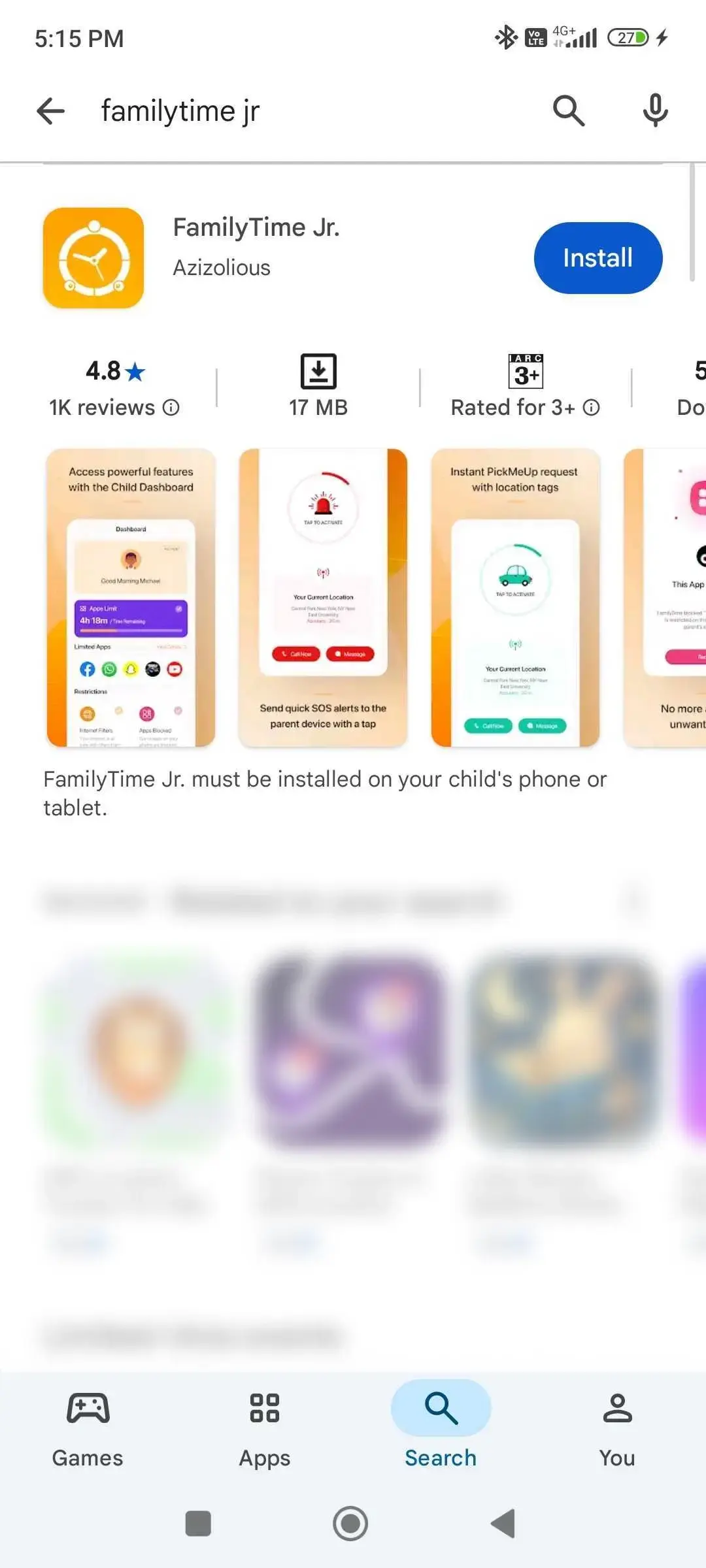
Open Google Play and search FamilyTime Jr.
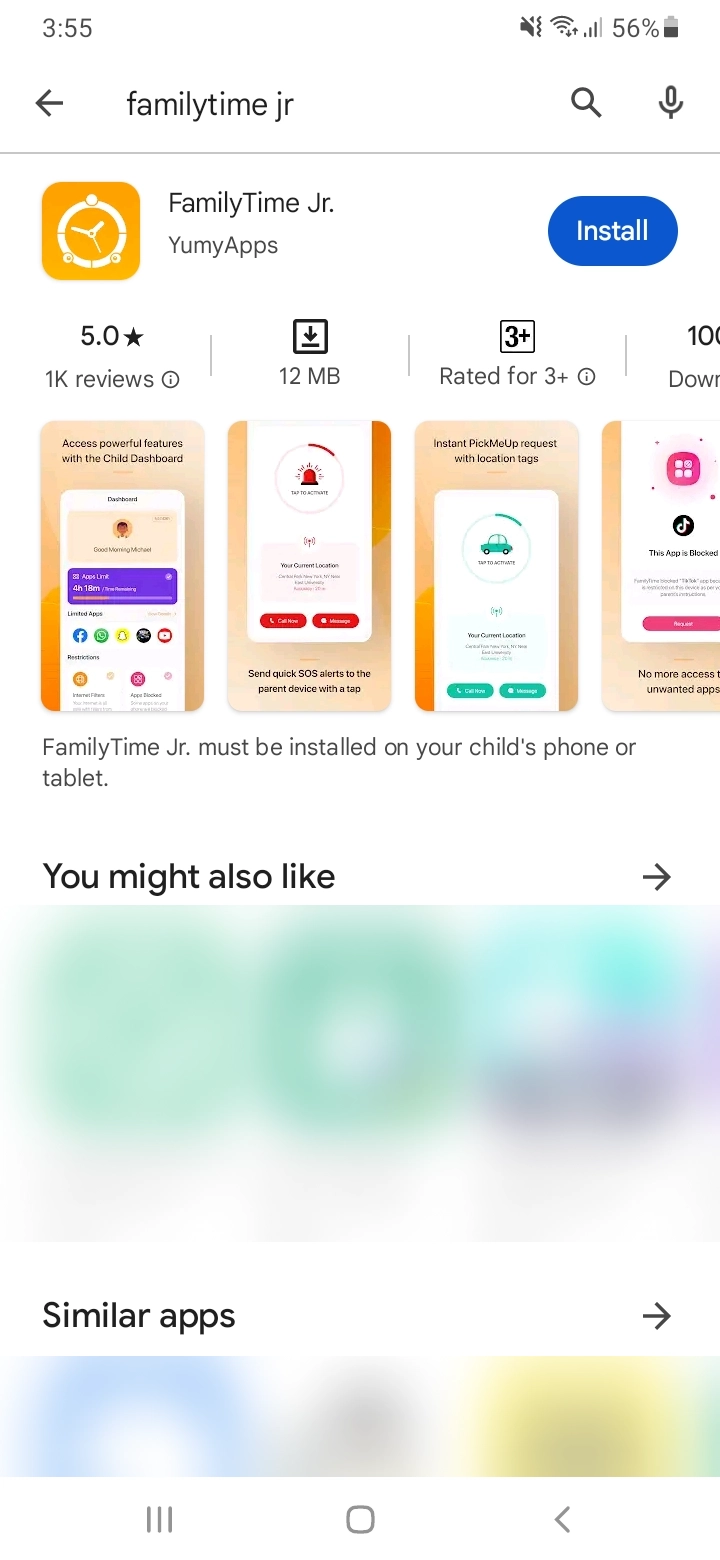
Select FamilyTime Jr. (with an orange color icon) and tap "INSTALL".
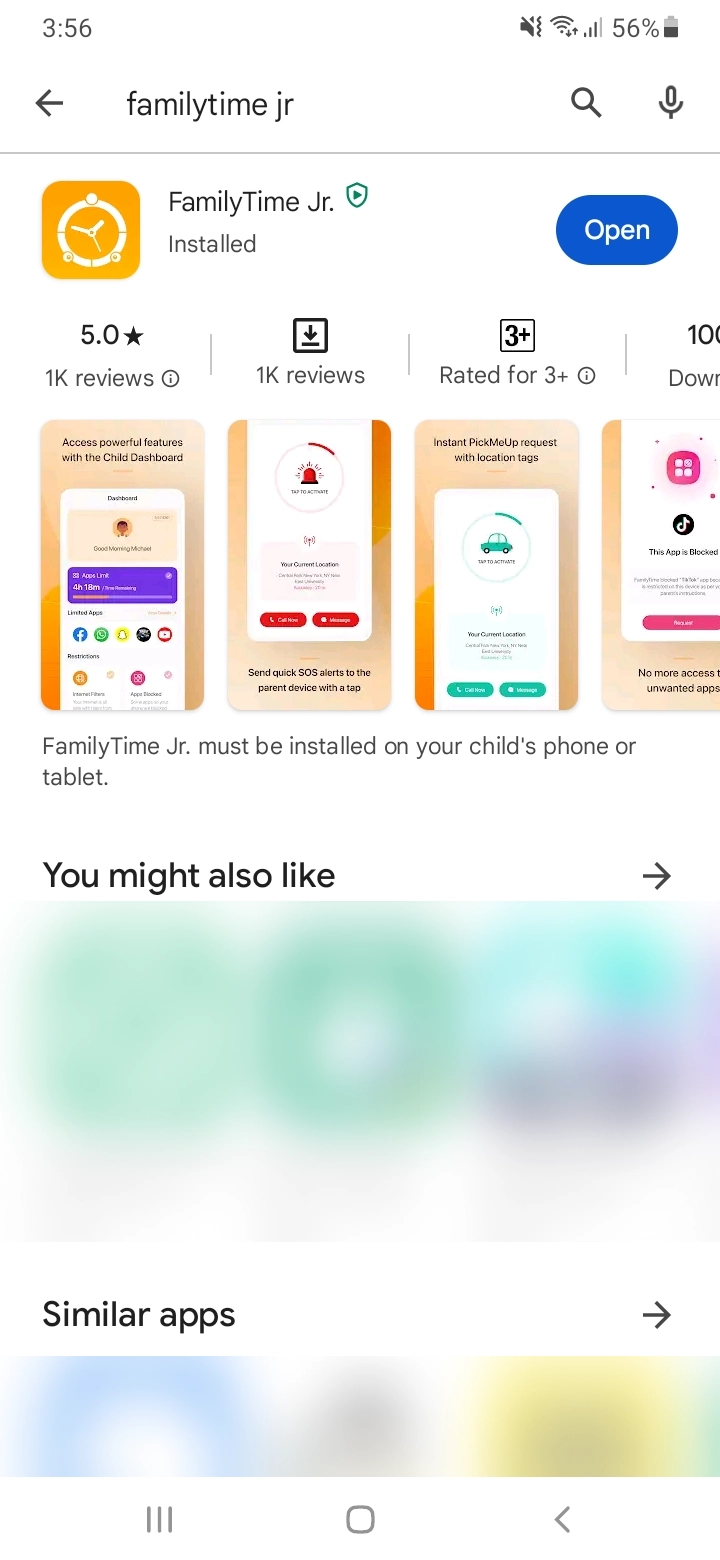
Once installation is complete. Tap "Open".
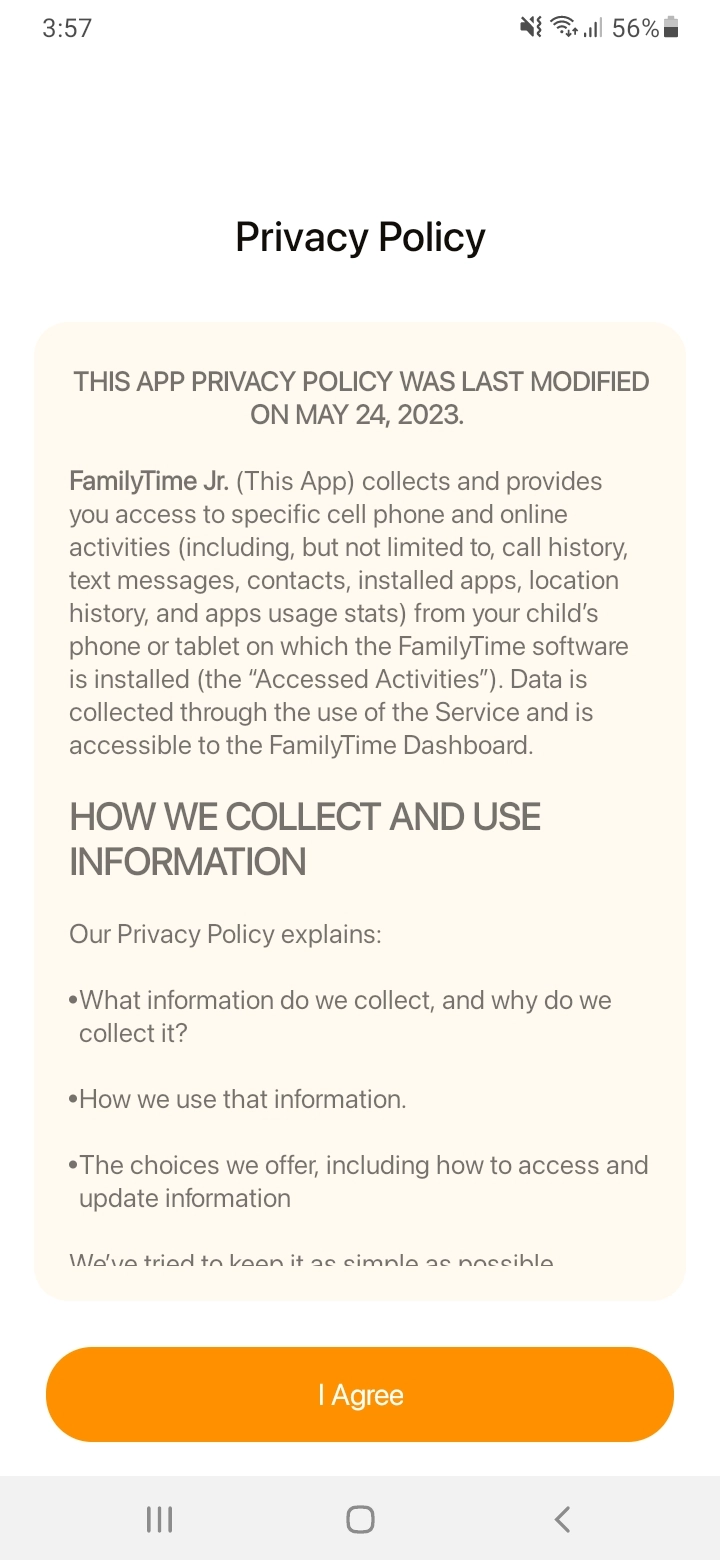
Tap "I Agree" our Privacy Policy to Continue.
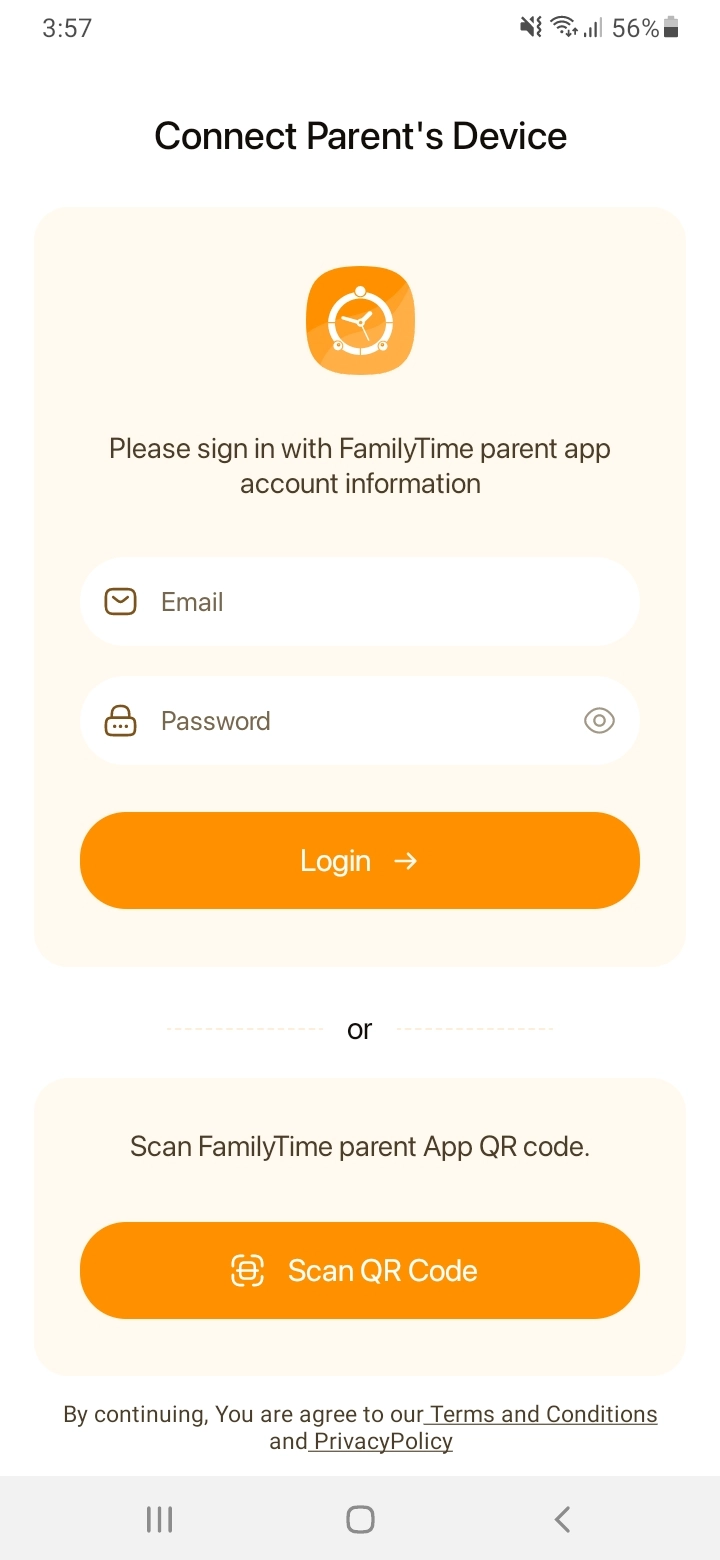
Enter parent email and password to pair child devices.
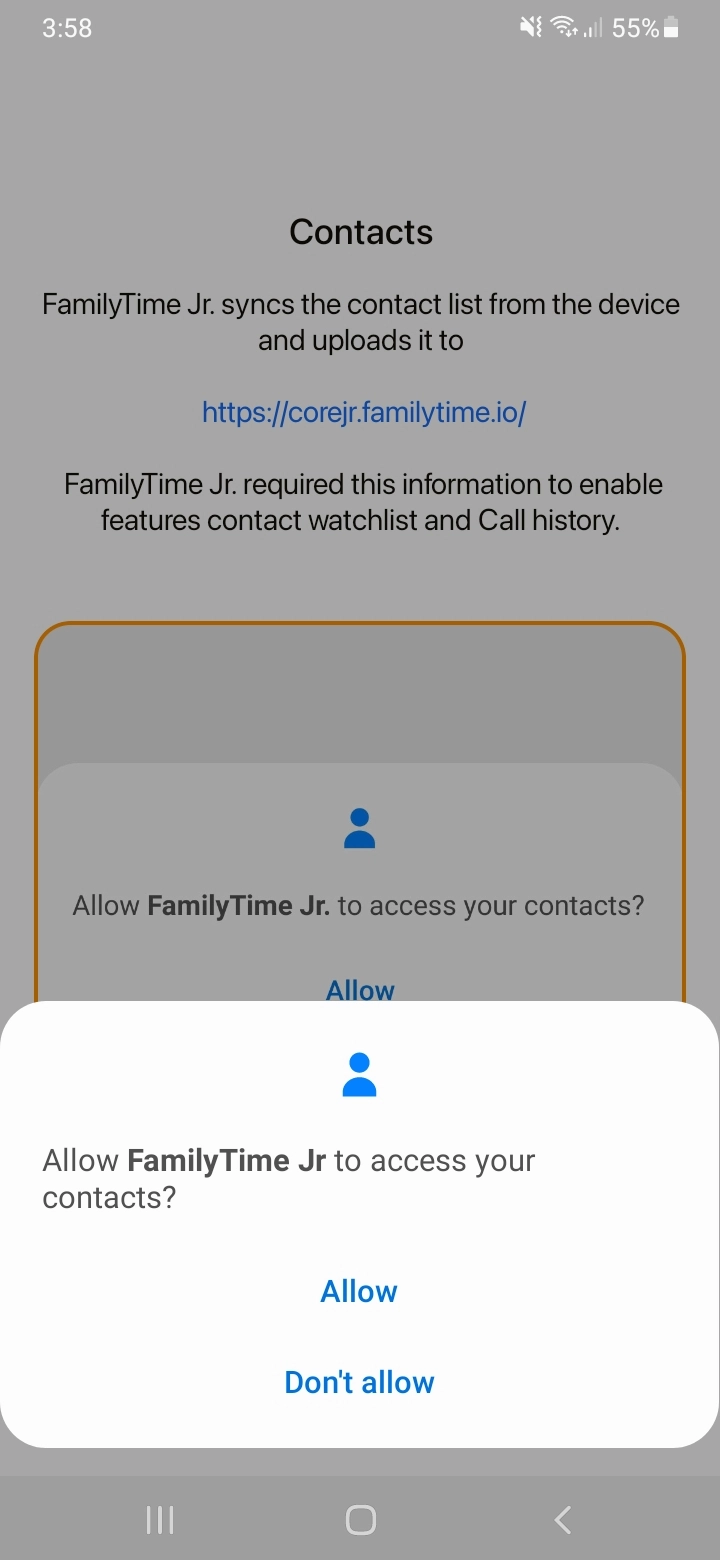
Tap “Continue” to process with contact access permission.

Tap “Allow” to give FamilyTime Jr. access to contacts.
Tap “Agree” to sync installed apps.

Enter “Child Name & Age,” select “Gender” and “Avatar.” Tap “Continue”.

Tap “Continue” for Data Access Permissions.

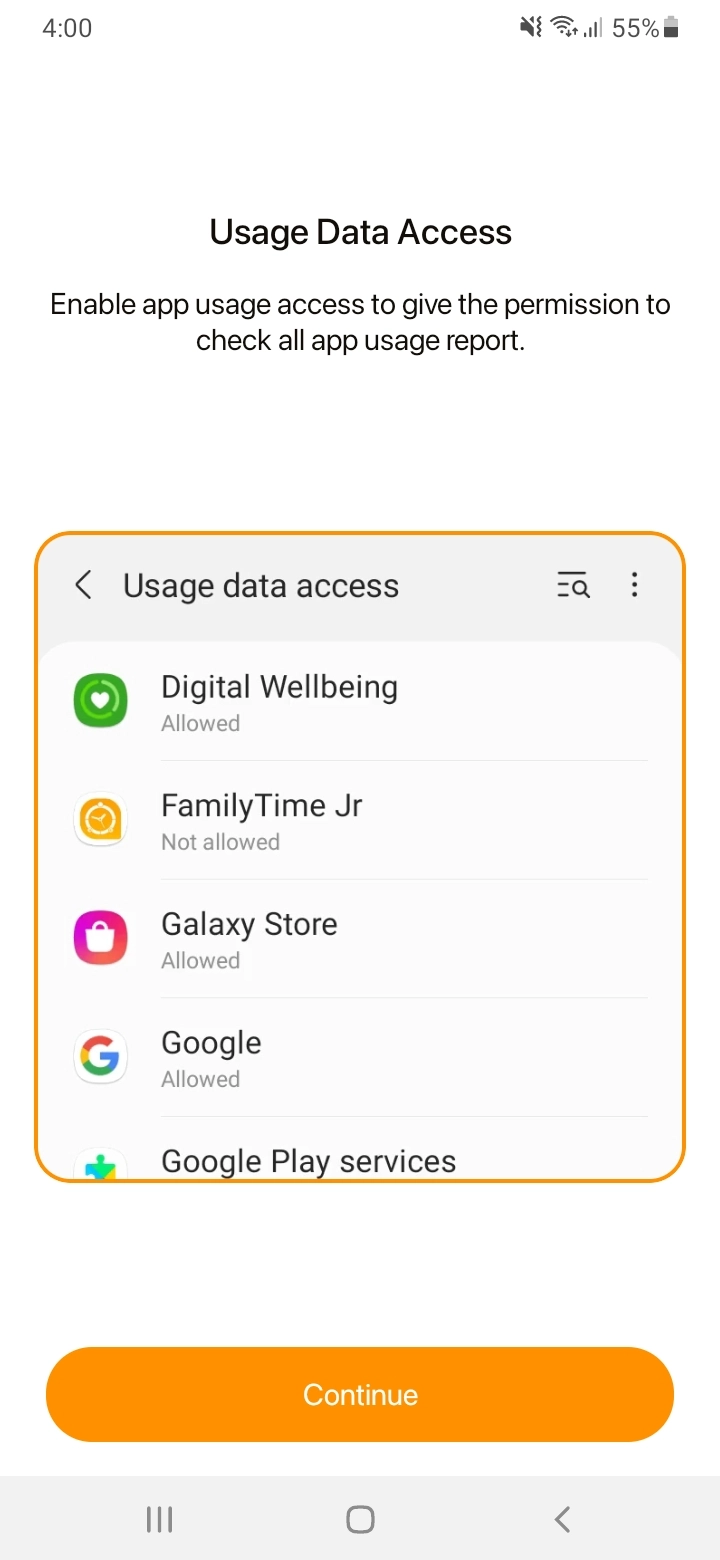
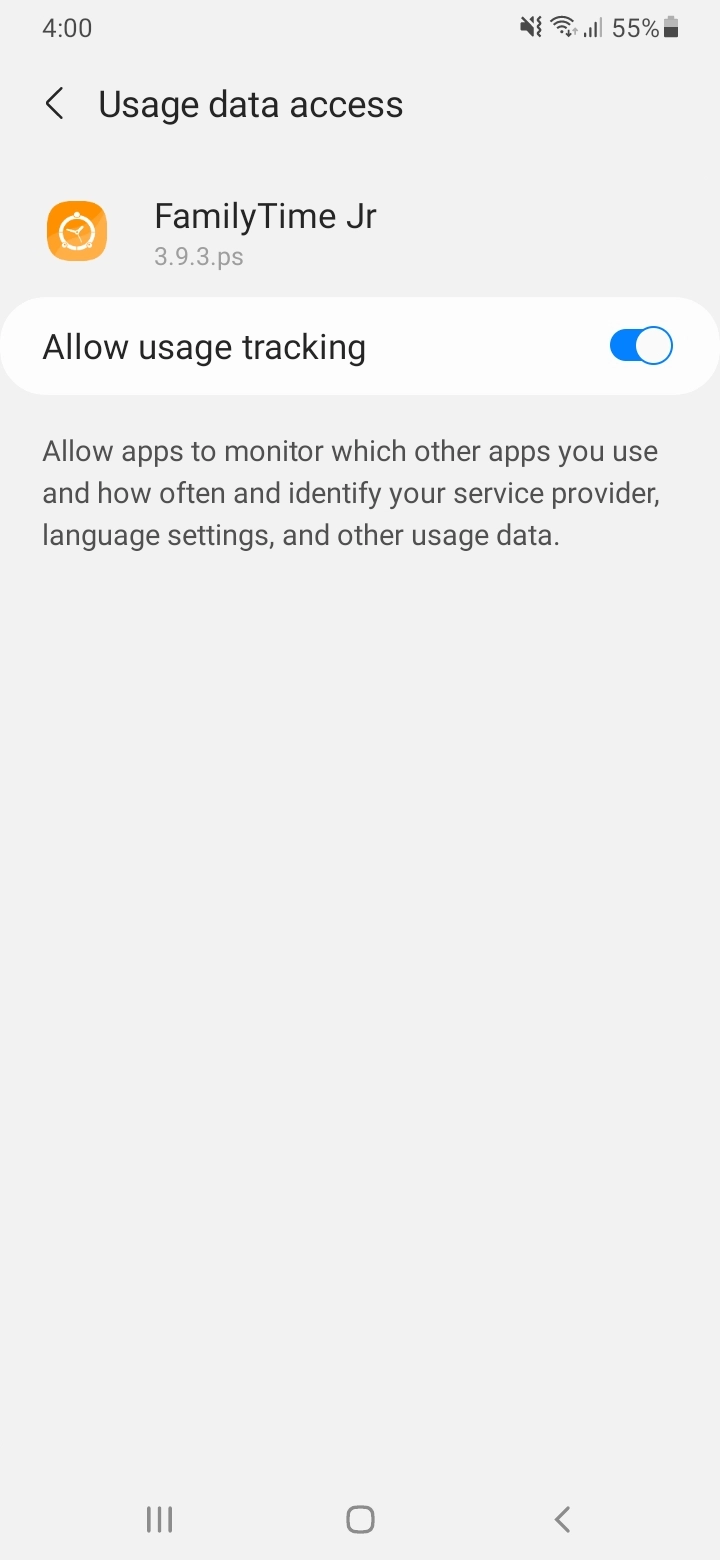
Tap “Continue” to proceed with “Usage Data Access”.
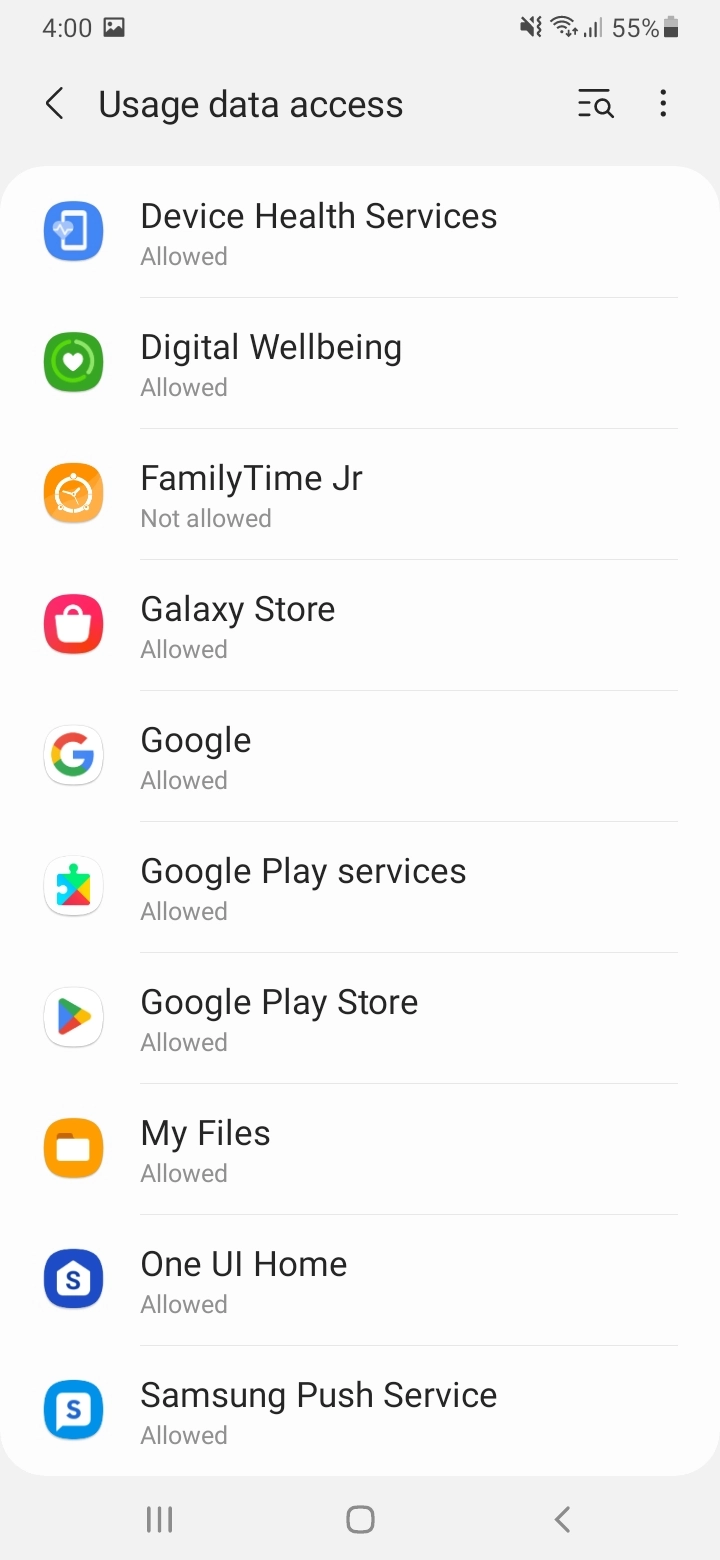
Tap to open “FamilyTime Jr”.
Toggle On “Allow Usage Tracking”.
Tap “Continue” with “Accessibility” permissions.

Tap "Installed Services".

Tap "FamilyTime Jr."
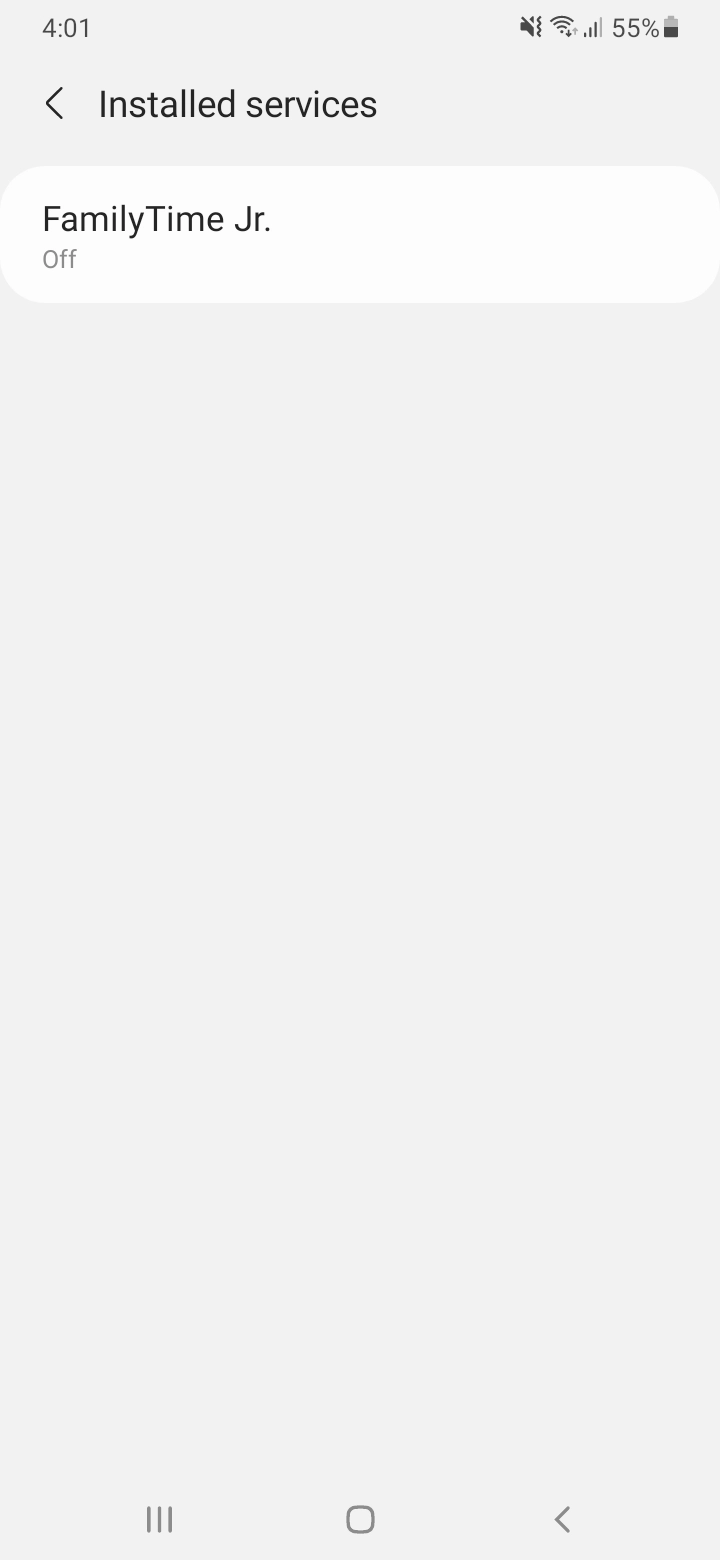
Tap on Toggle to turn it “On”.

Tap “Allow”.

Toggle “FamilyTime Jr. Shortcut,” on, Tap “Allow” to confirm.

Tap “Continue” for VPN Permissions.
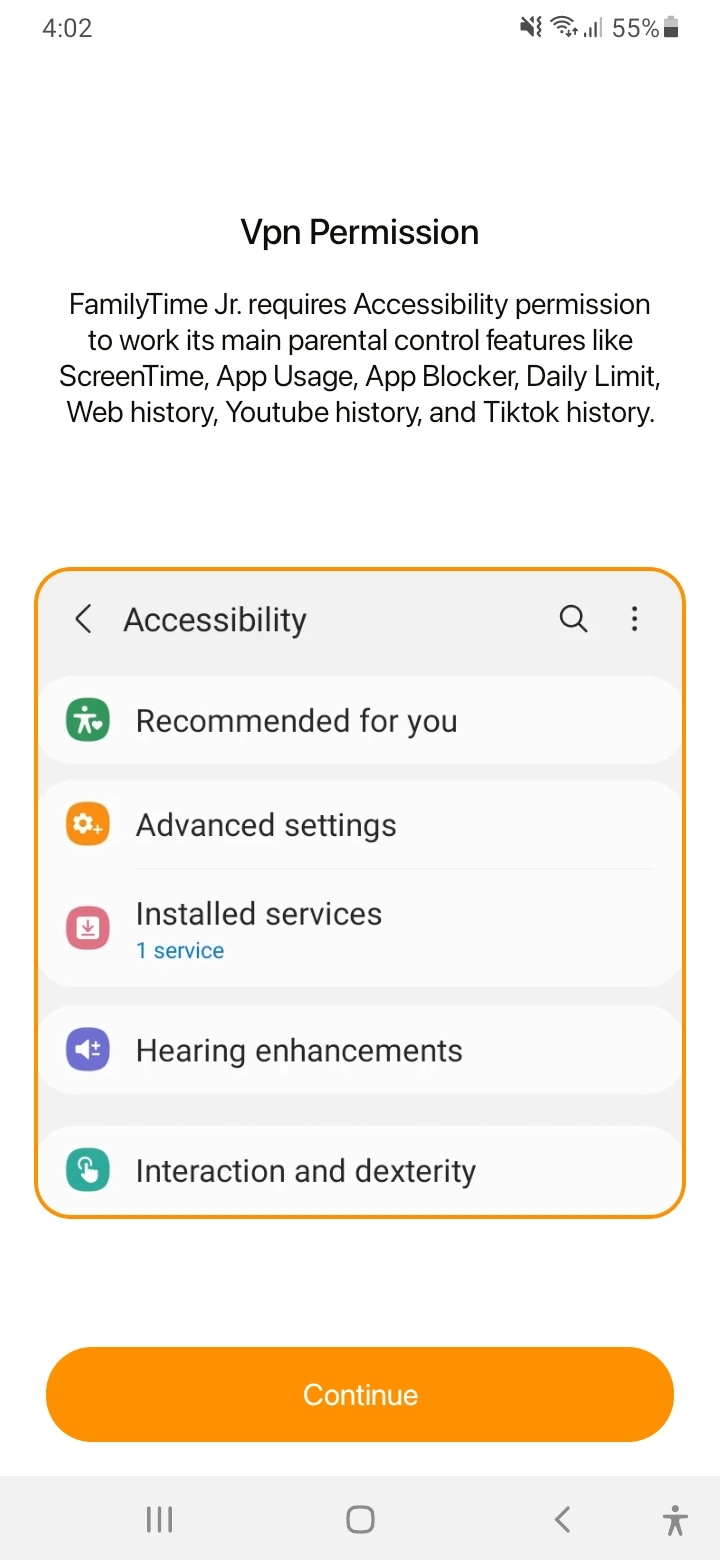
Tap “OK” on the pop up.
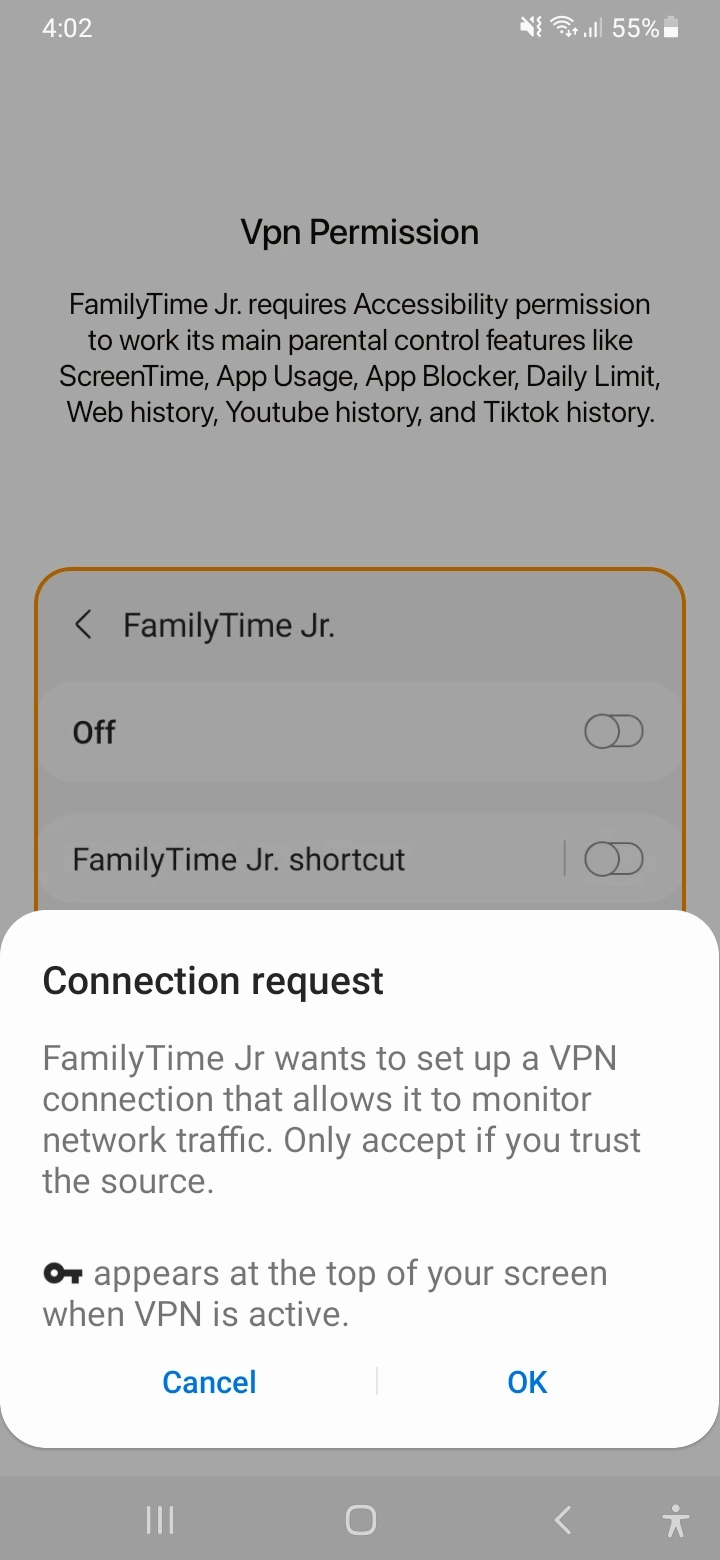
Tap “Continue” for Device Administrator Settings.
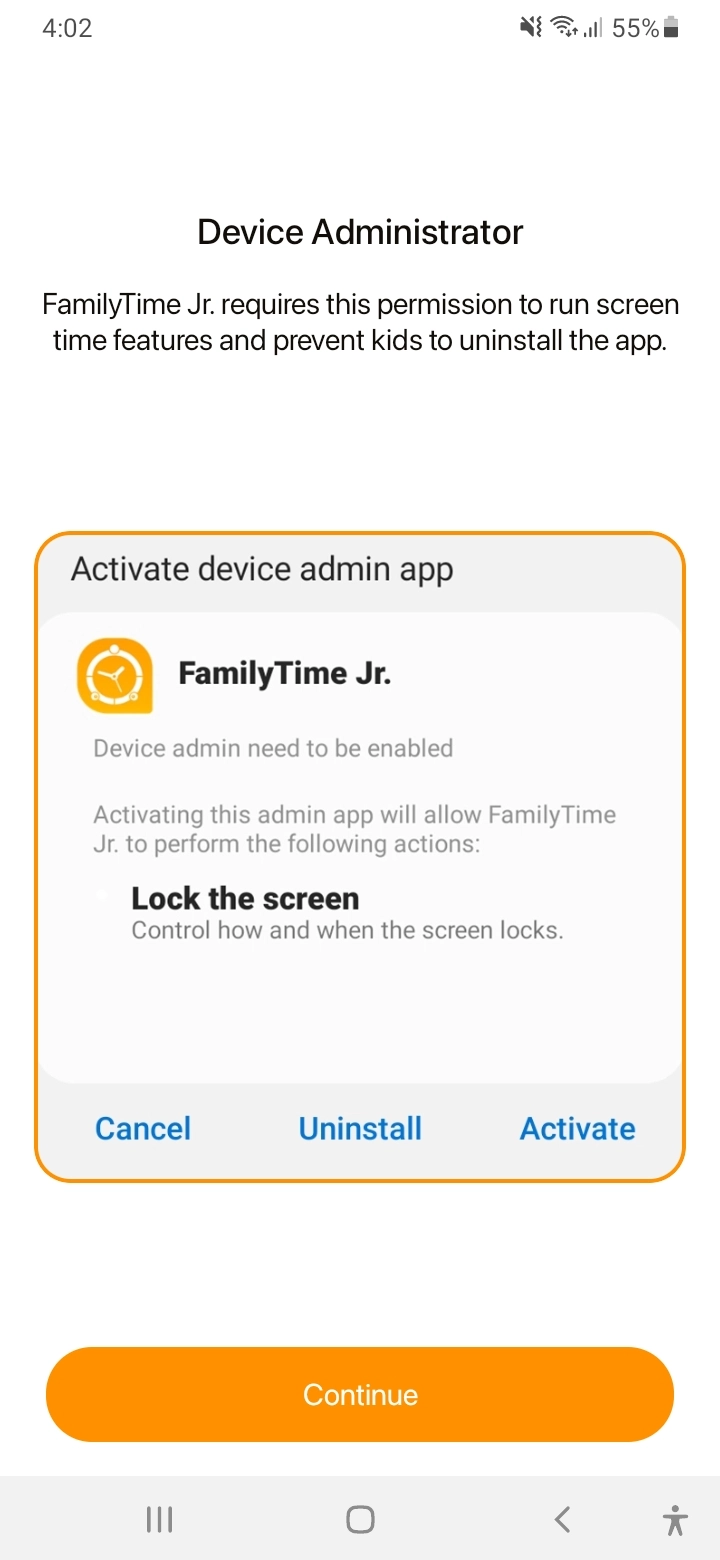
Tap “Activate”.
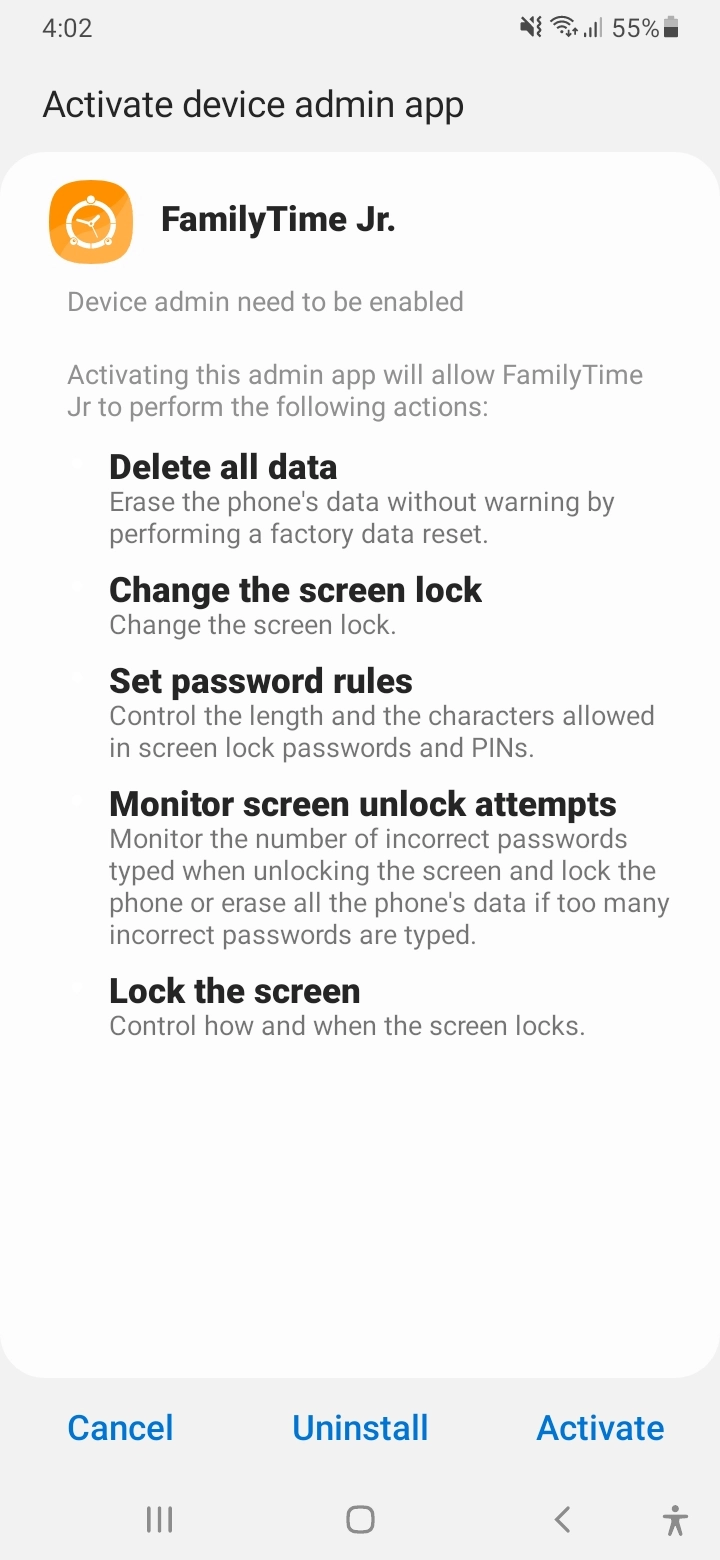
Tap “Continue” for Overlay Permission.
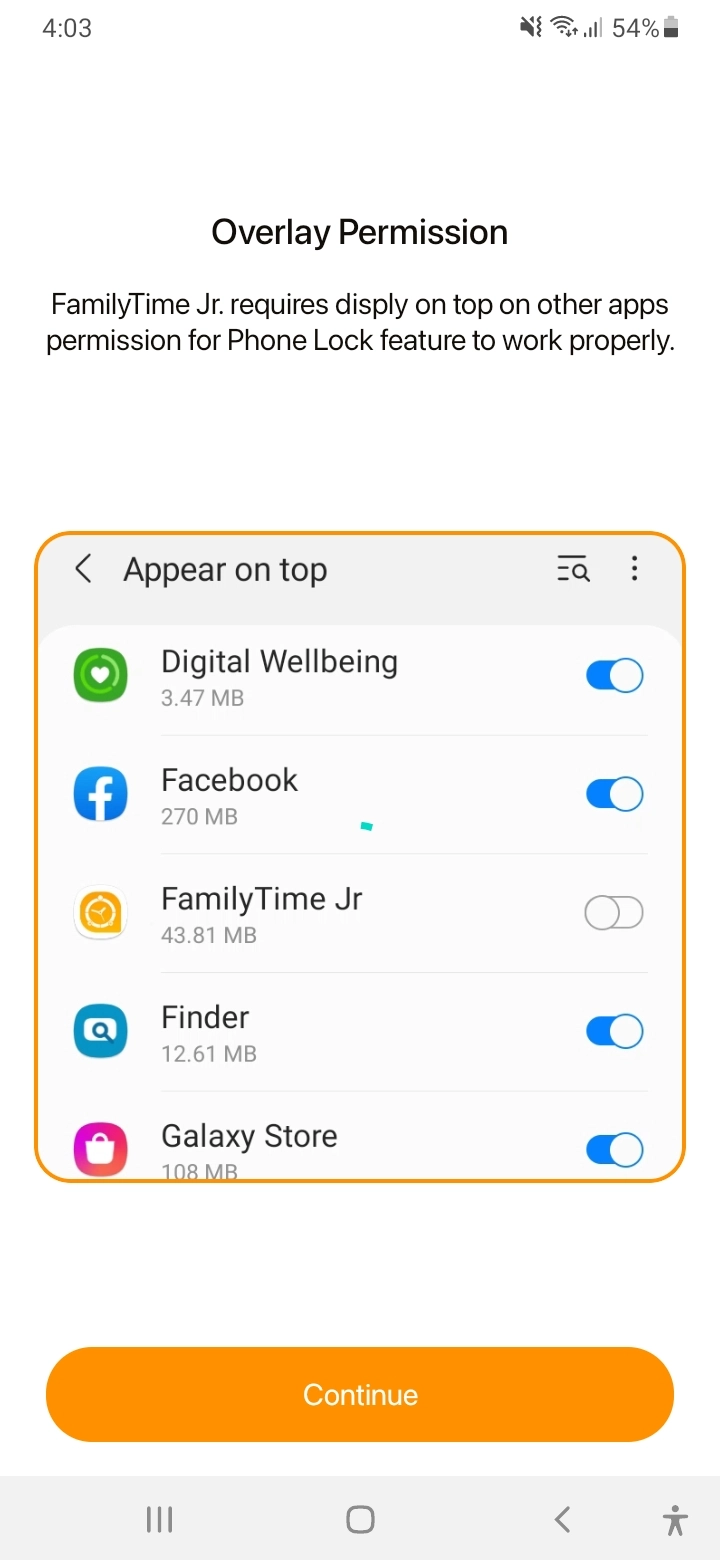
Scroll down to find the “FamilyTime Jr”.
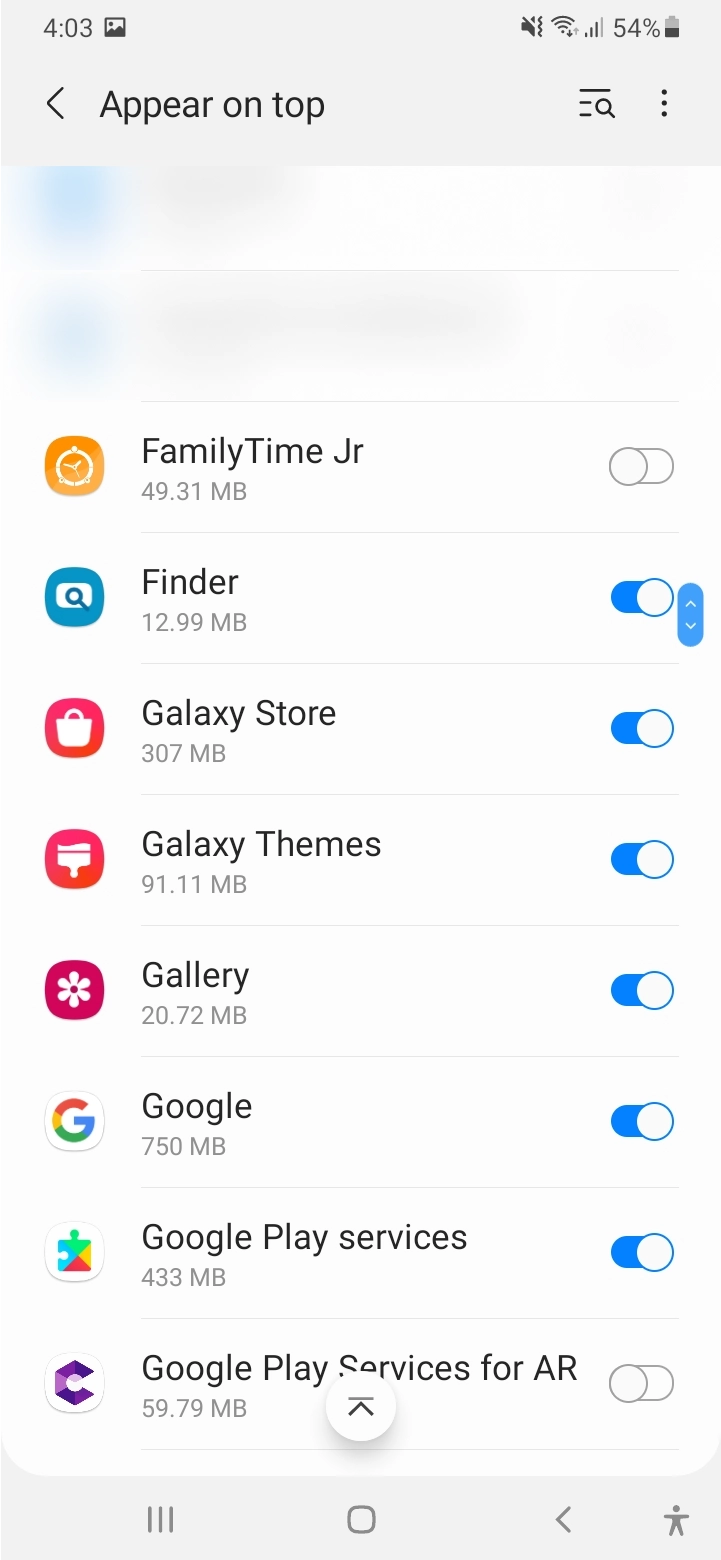
Tap toggle to turn on overly.
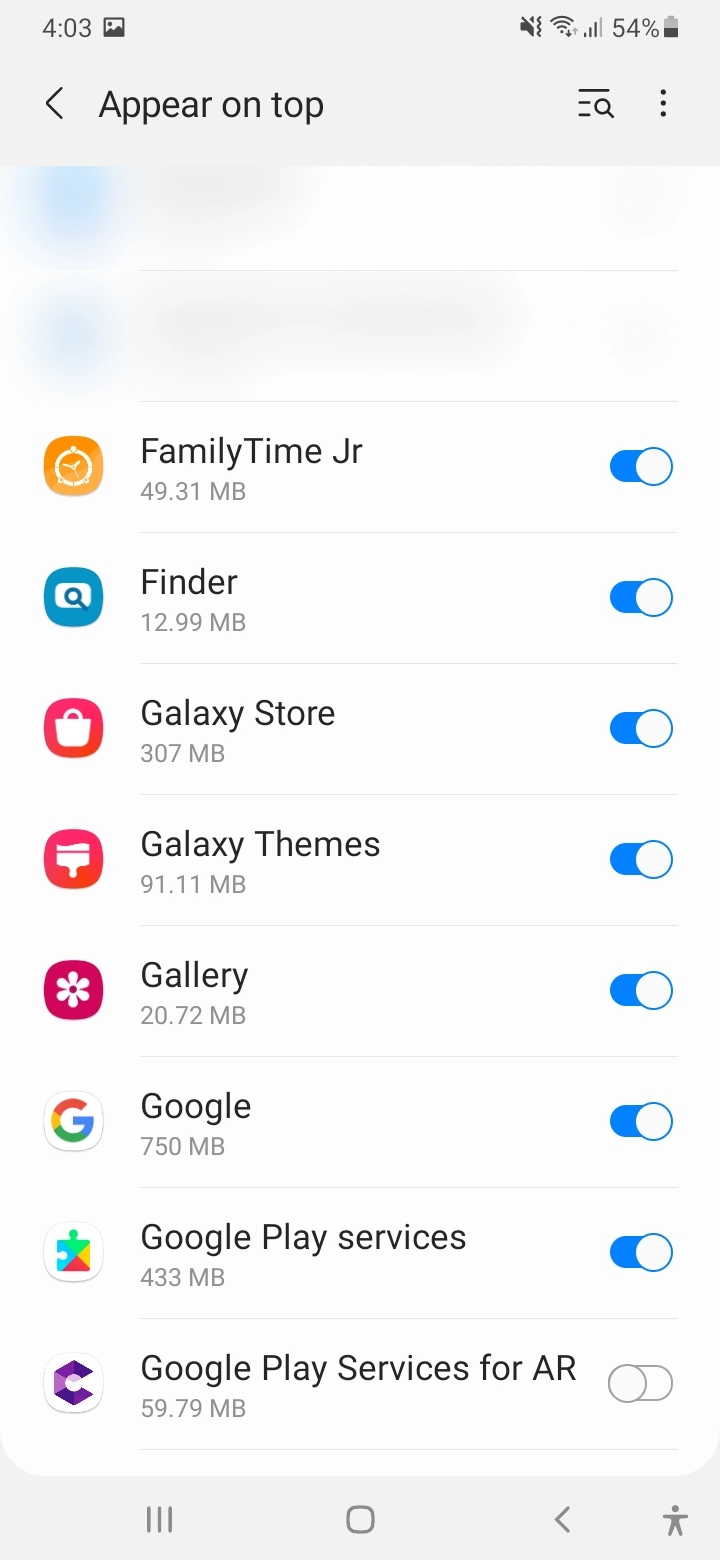
Tap “Continue” for battery optimization.
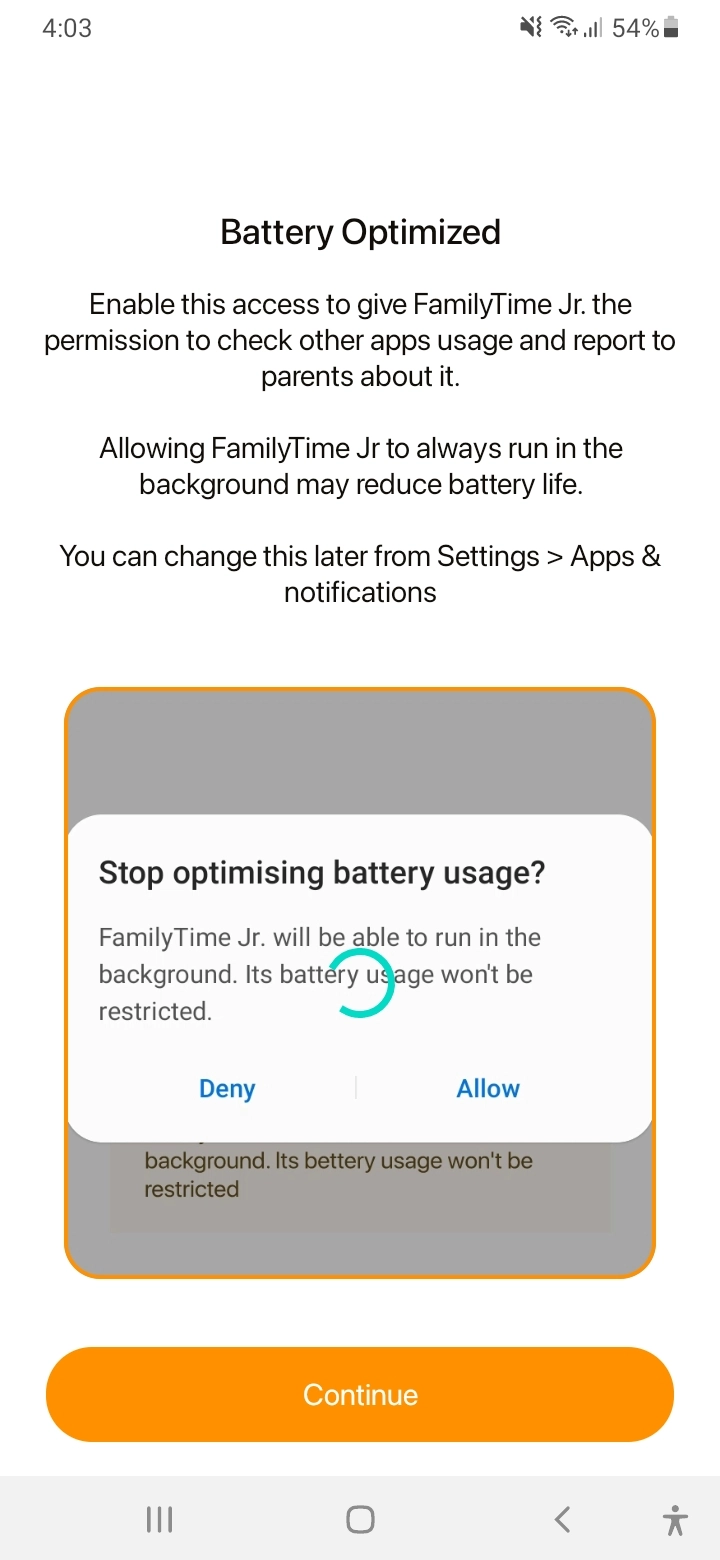
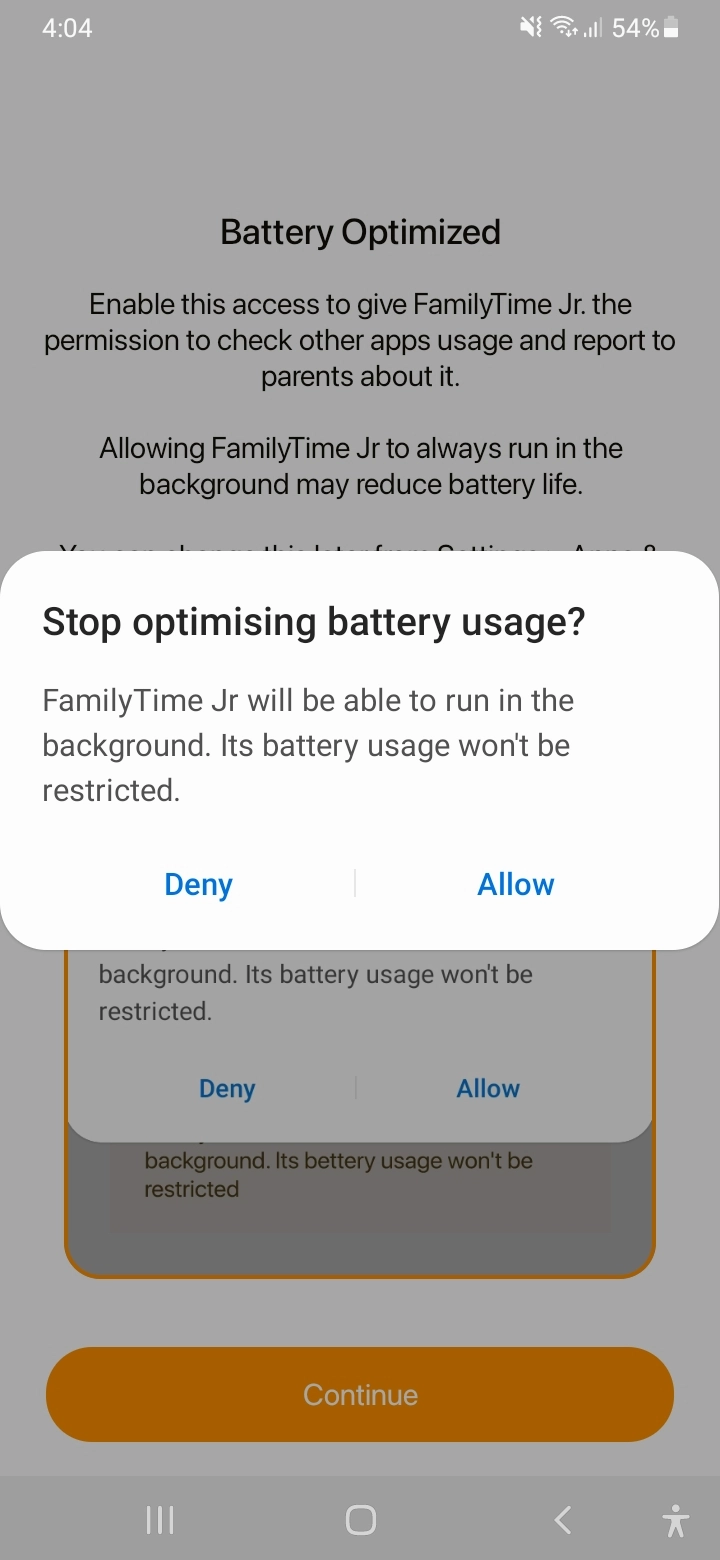
Tap “Allow” to stop battery usage optimization.
Tap “Continue” to proceed with locations.

Tap “While using the App”.
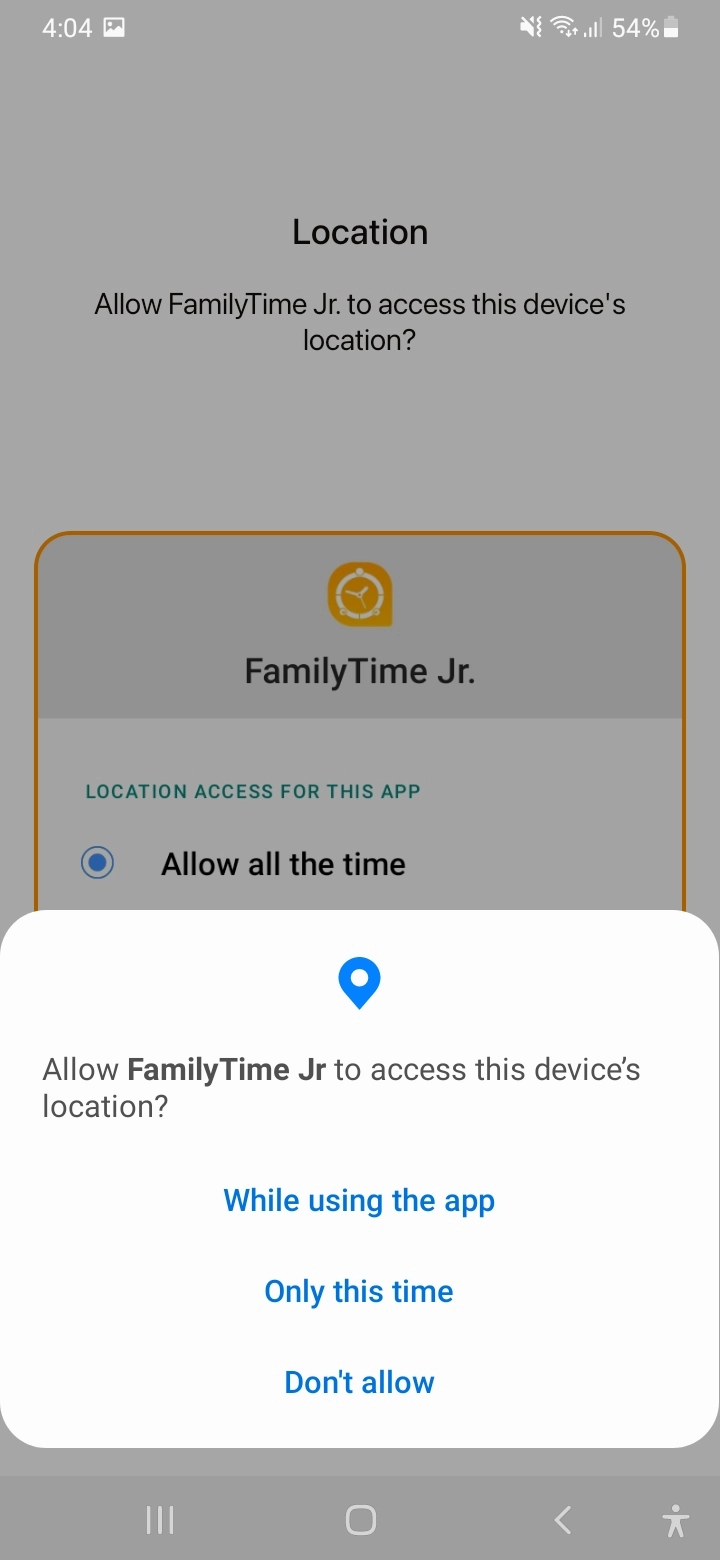
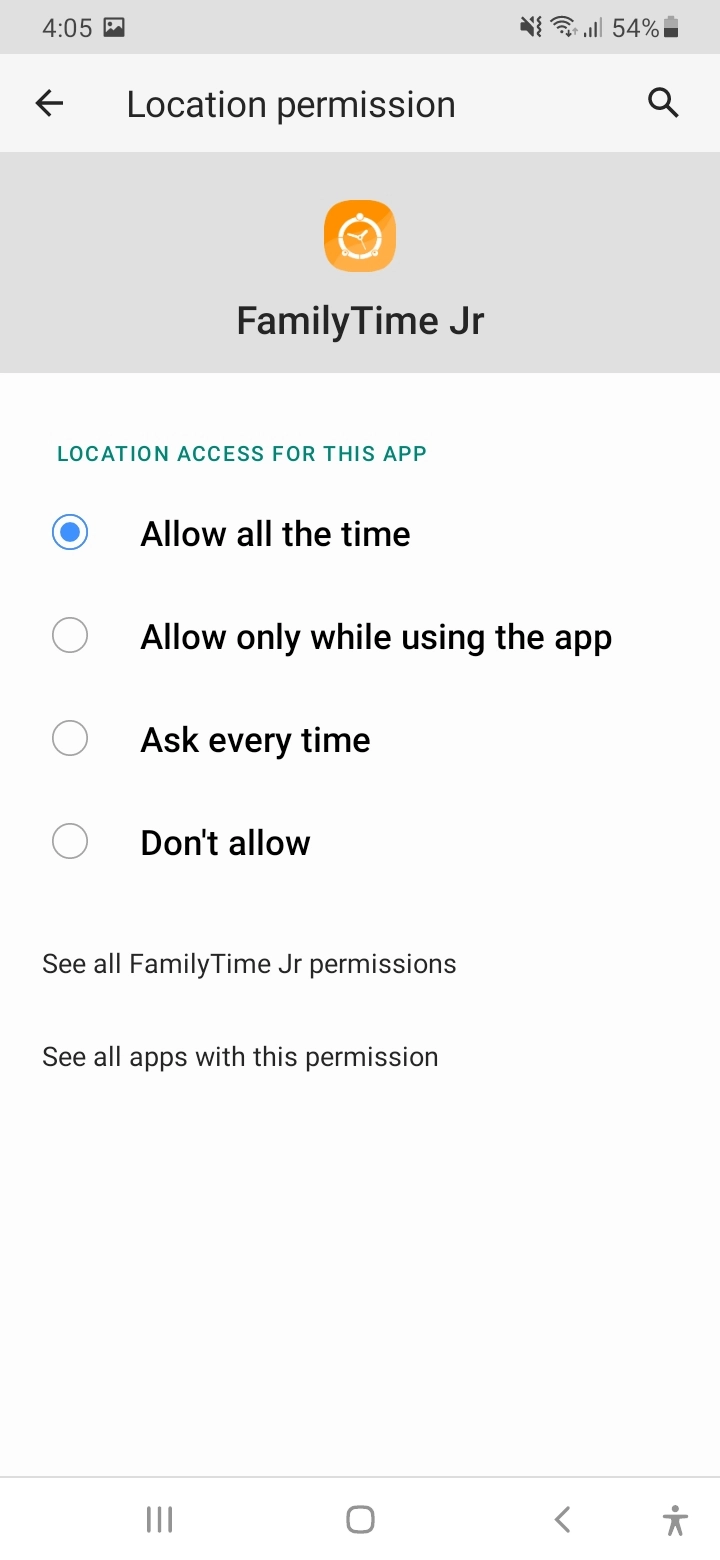
Select “Allow all the time”option.
Tap “Continue” for Storage Permission.

Tap “Allow” and let FamilyTime Jr. to access phots and media.

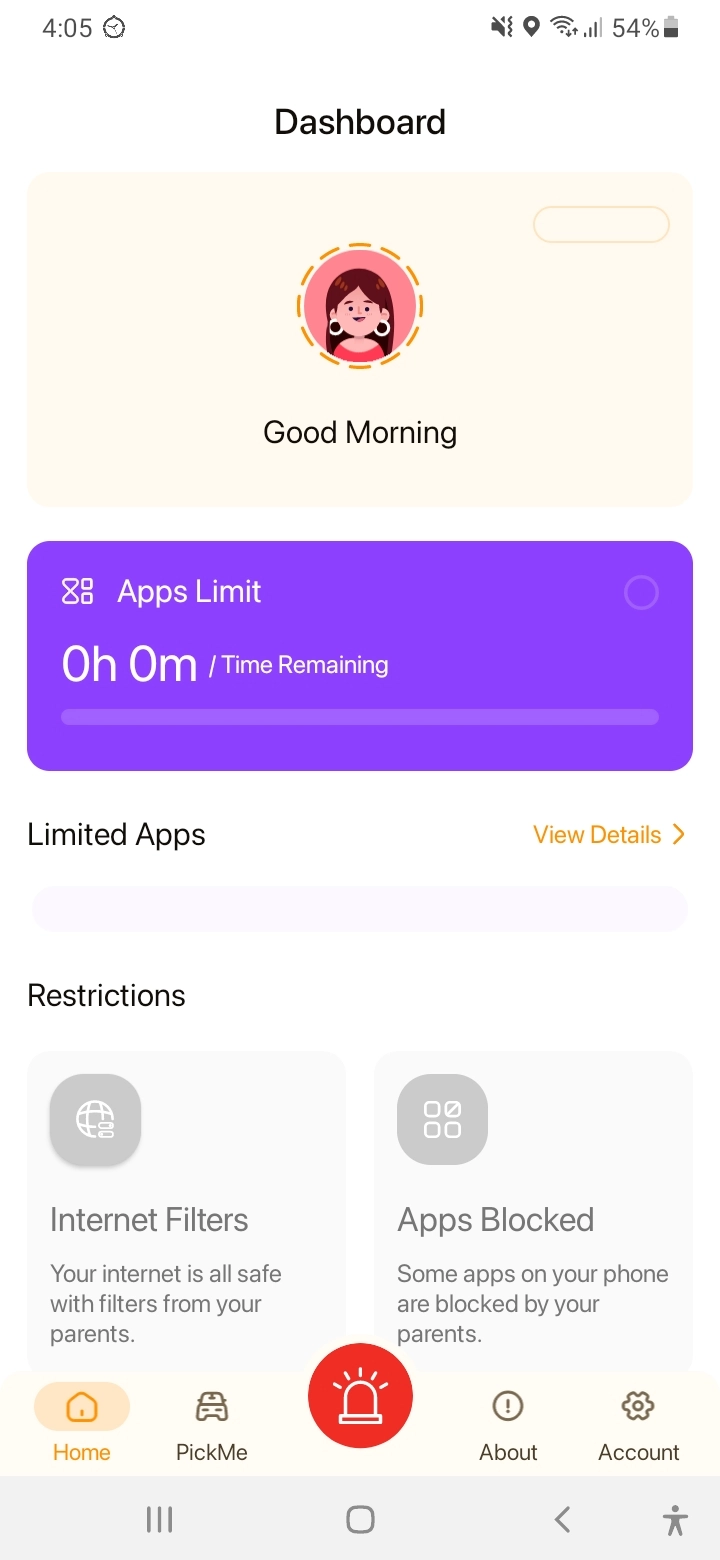
You are all “Done”.

Need an Advice?
Not sure about something or want to have a quick word with one of our experts? No worries, our parenting experts are here for you 24/7! Click the button below and get to talk to our Expert right away!