

FamilyTime Screen Time Schedule for Android
FamilyTime offers unlimited screen time management tools, and Screen Time Schedule is one of them. Using the feature, you can decide the device downtime for the day at specific schedules. Like, restrict your child from using mobile devices during study, Dinner & bedtime.

Screen Time Addiction & Distraction is a Serious Problem
About 23% of kids who own mobile devices are reported to be screen addicts. They express clear signs of anxiety, frustration, and unrest when they do not have access to their screens. Screen time addiction is causing further risks to kids:

68% of students are distracted in classrooms due to their mobile devices

66% increase in the reported rate of depression among kids with mobile devices

41% of kids lack quality sleep due to their active mobile devices in the bedroom
Create a Digital Balance and Schedule Screen Time
Select the times during the day when your child cannot access a digital device. Mostly, these are when you do not want them to be distracted by the devices or screen time.


Pre-Planned Schedule
Use schedule presets for dinner, study, and bedtime to avoid distractions.


Custom Schedule
Be in charge of creating custom schedules whenever needed to limit device access.
Media Covered Us


Setting Up Screen Time Schedule
FamilyTime schedule screen time is your go-to option to set up a device downtime for your child’s mobile devices. During specific days and nights, you can put the devices on hold.

Use Schedule Presets
Select from the available presets of screen time schedules like Bed, Study, and Dinner to keep the devices inactive and blocked for a specific time limit.

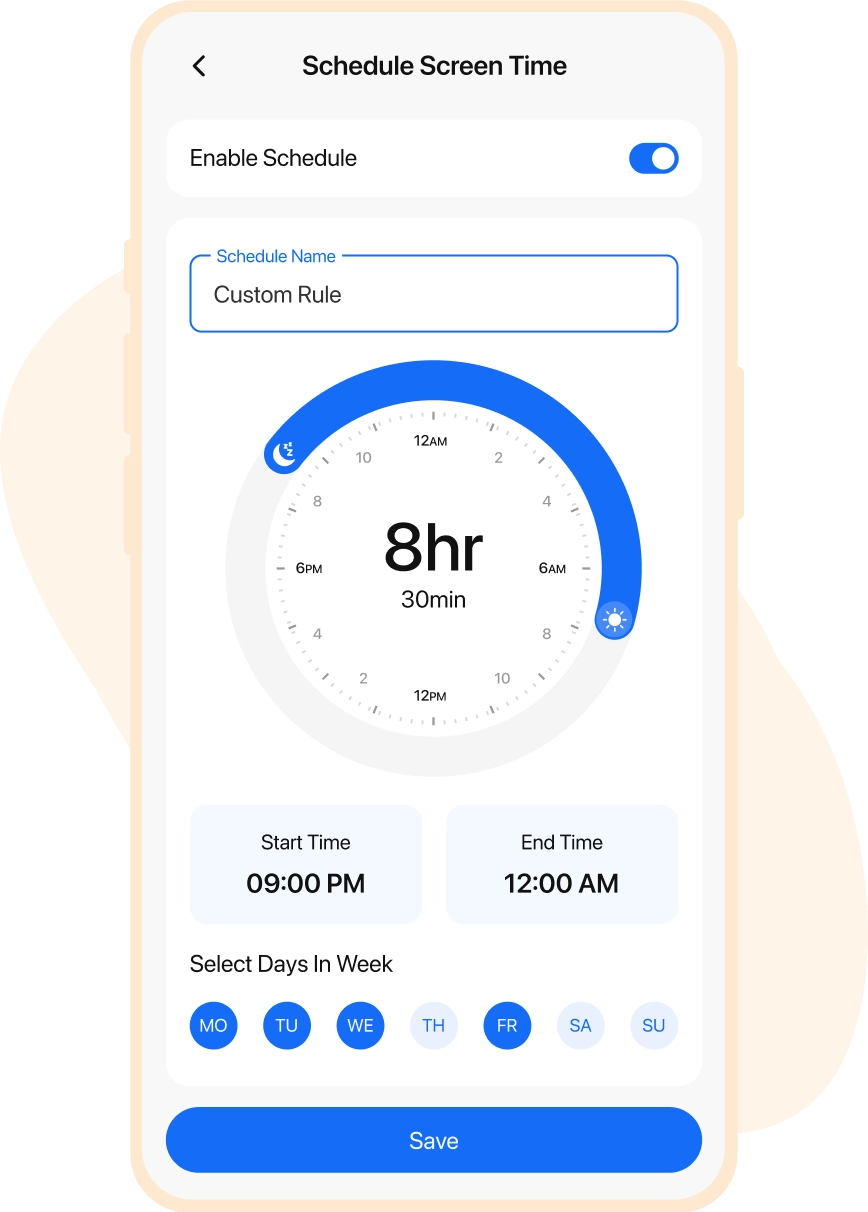
Create Custom Schedule
Customize & schedule screen time for Android devices based on special events & interactions. New schedule can be created by selecting days and times.

Why FamilyTime is the Best Parental Control App
Take Back Control of Your Family Time with Effortless and Effective Digital Parenting

30-Day Reporting History

FREE Access to New Features

Uninstall Protection

Easy to Use Interface

Co-Parenting Made Easy

GDPR Compliance

One Account Multiple Devices
