

Why can’t I see new data on my Dashboard?
Please note that as your 3-day FamilyTime Premium free trial for a child account expires, the Premium account automatically switches to a Free account.
Free FamilyTime accounts offer a limited set of features and no access to data updates on Dashboard. We recommend you review the Comparison of FamilyTime Free & Premium Features.
Even if your profile switches to the Free version, all data is collected from the child's device and uploaded to our servers. Still, it won't be accessible from your Dashboard.
We encourage you to subscribe to one of our FamilyTime Premium packages to access that data and keep getting the updates. Check out our exclusive FamilyTime Premium Packages to choose the one that suits you.
It is advised that as you activate/ pair a child account to your Dashboard, upgrade your account within three days to keep enjoying access to your child's digital device.
Alternatively, check your own and child’s device for active internet connection. no internet or poor connectivity sometimes may cause the problem with data update.
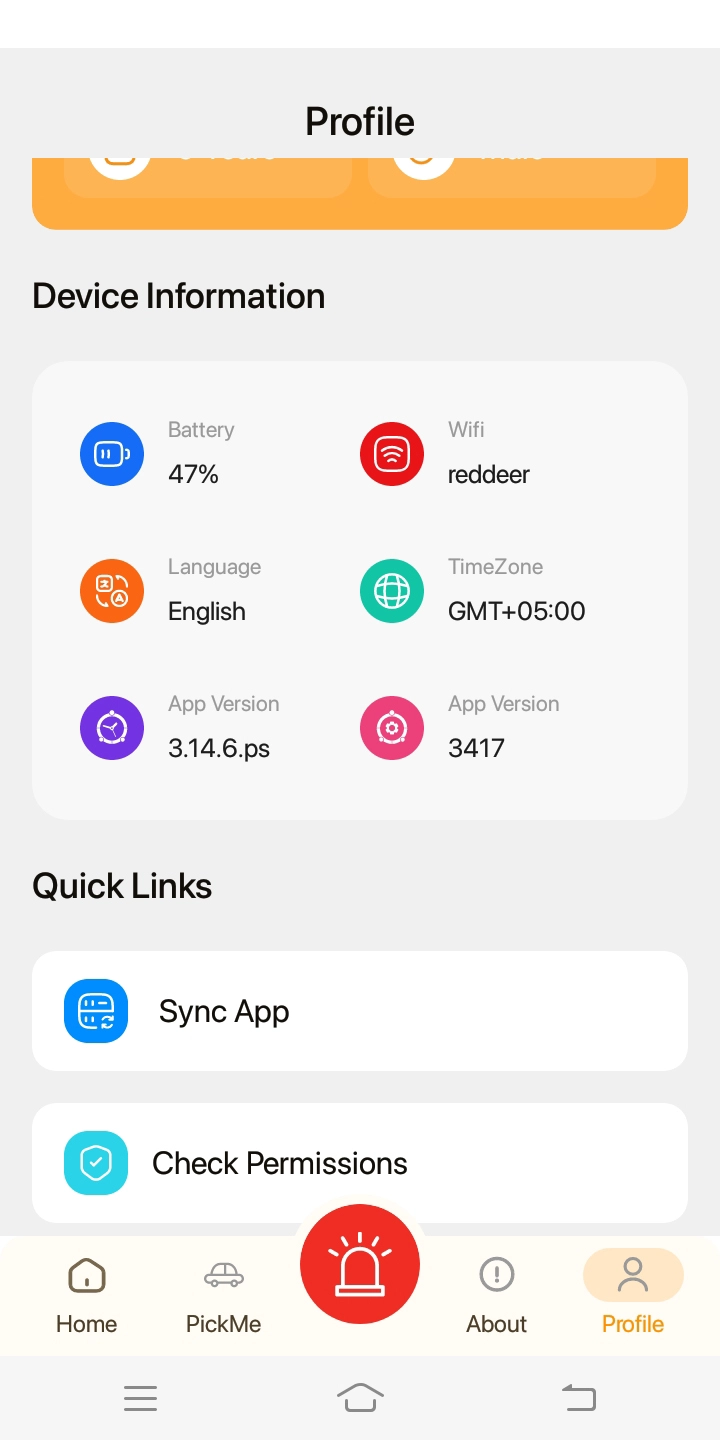
Sync the Child’s app data by opening FamilyTime Jr. App on Child device
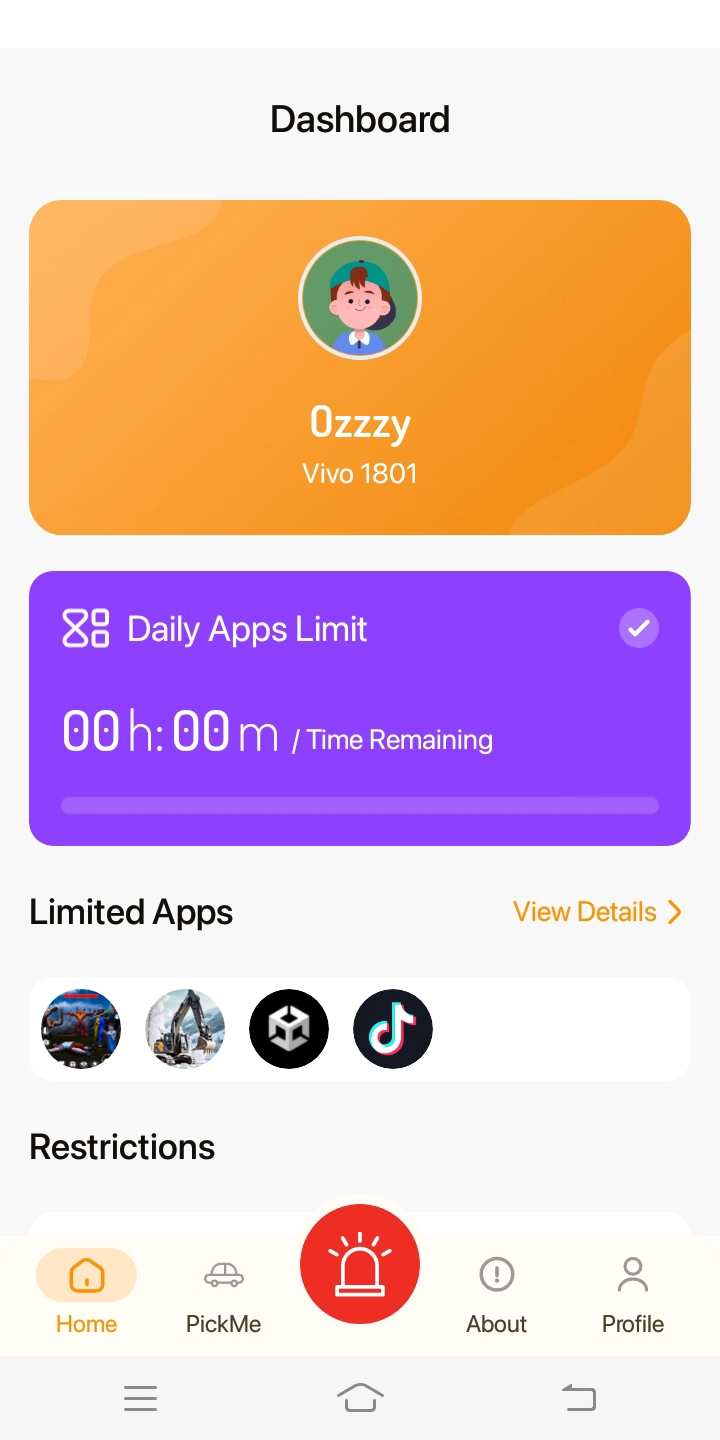
Tap on “Profile” at the right bottom corner. Scroll down and tap on “Sync App” under Quick Links.

Need an Advice?
Not sure about something or want to have a quick word with one of our experts? No worries, our parenting experts are here for you 24/7! Click the button below and get to talk to our Expert right away!