

How do you set up/use limited screen time on Android devices?
Limiting Screen Time on your child's Android device is pretty simple. You can use the default preset or add a custom schedule as well.
Open your FamilyTime Parent Dashboard and Tap "Settings" on the child profile you want to set up Screen Time.
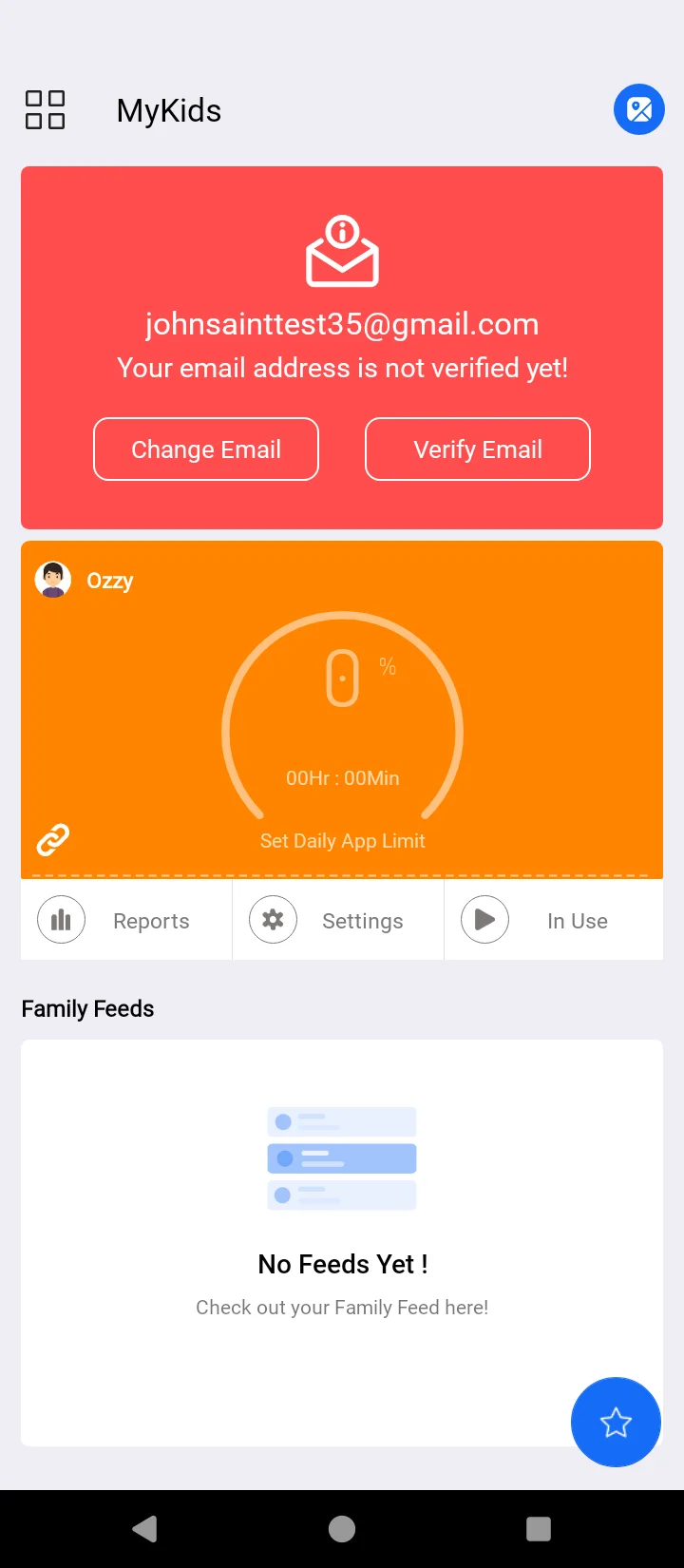
Tap "Schedule Screen Time" under the Family Care section.

Tap any default schedule preset like "Bedtime."

Toggle "Enable."

Set the start and end times and the days to repeat the schedule.

Tap “✔” sing at the top right corner of the screen to confirm settings.

Confirm the settings, and it's done!

Tap on “+” sing at the bottom right of the screen in the "Schedule Screen Time" feature.

Toggle "Enable" and type a schedule name.
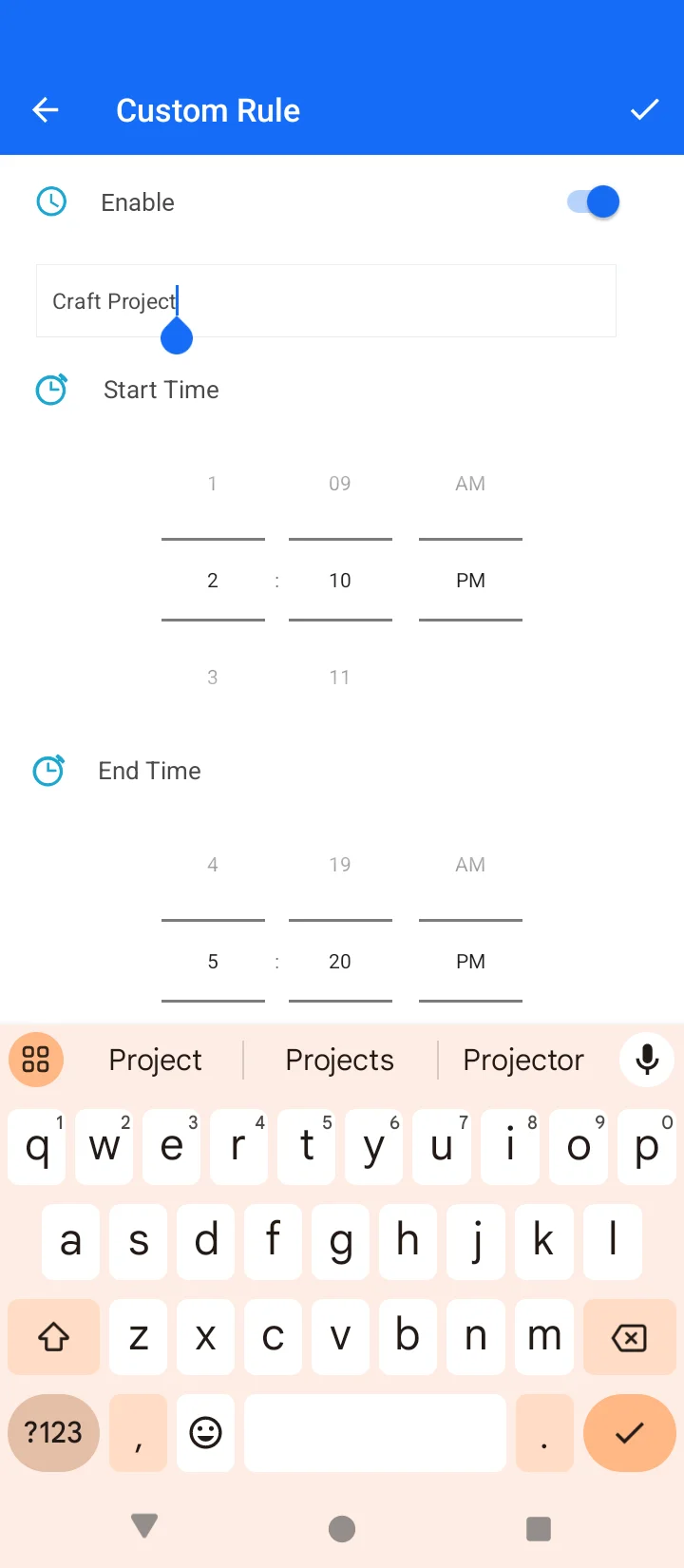
Adjust start & end time along with repeating days.

Tap “✔” at the top right of the screen to confirm the settings.

Bonus Tips
- You can add as many rules as you like for each child's profile
- You can delete the schedules later when not needed.
- It's possible to keep schedules repeating on multiple or alternative days
How does Schedule Screen Time Help?
This intuitive feature can make your parenting easier and more effective. Here are some of the ways the Screen Time feature can help:
- Reducing excessive screen time among children
- Maintaining a balanced sleep cycle among kids
- Increase focus on homework, study, assignments, and other tasks.
- Encourages children to put their mobile devices aside and interact with family
Best Practices – Tips to Schedule Screen Time
Android Limit Screen Time is an adaptable feature that you can use as it fits your needs. Here are some useful tips to make the most of this useful feature:
- Define separate rules for homework time, dinner, and bedtime. Doing so will allow your kids to have screen time distributed during the day.
- Alter the screen time rules on weekdays and weekends to create a difference in their routine.
- Manage rules according to your child's age, phone interactions, and activities.
- Use screen time schedules efficiently during the holidays, vacations, festivities, weekends, and exams.
- You have complete control over the time your child will access the device and how long by creating appropriate limitations on their usage.

Need an Advice?
Not sure about something or want to have a quick word with one of our experts? No worries, our parenting experts are here for you 24/7! Click the button below and get to talk to our Expert right away!