

Child's device gets locked when I try to uninstall FamilyTime child app
When you no longer need the FamilyTime app for digital monitoring, then uninstalling it promptly from the child's device can block the device. For a seamless uninstallation, here are a few steps to follow:
Open the FamilyTime Jr. app on your child's device.
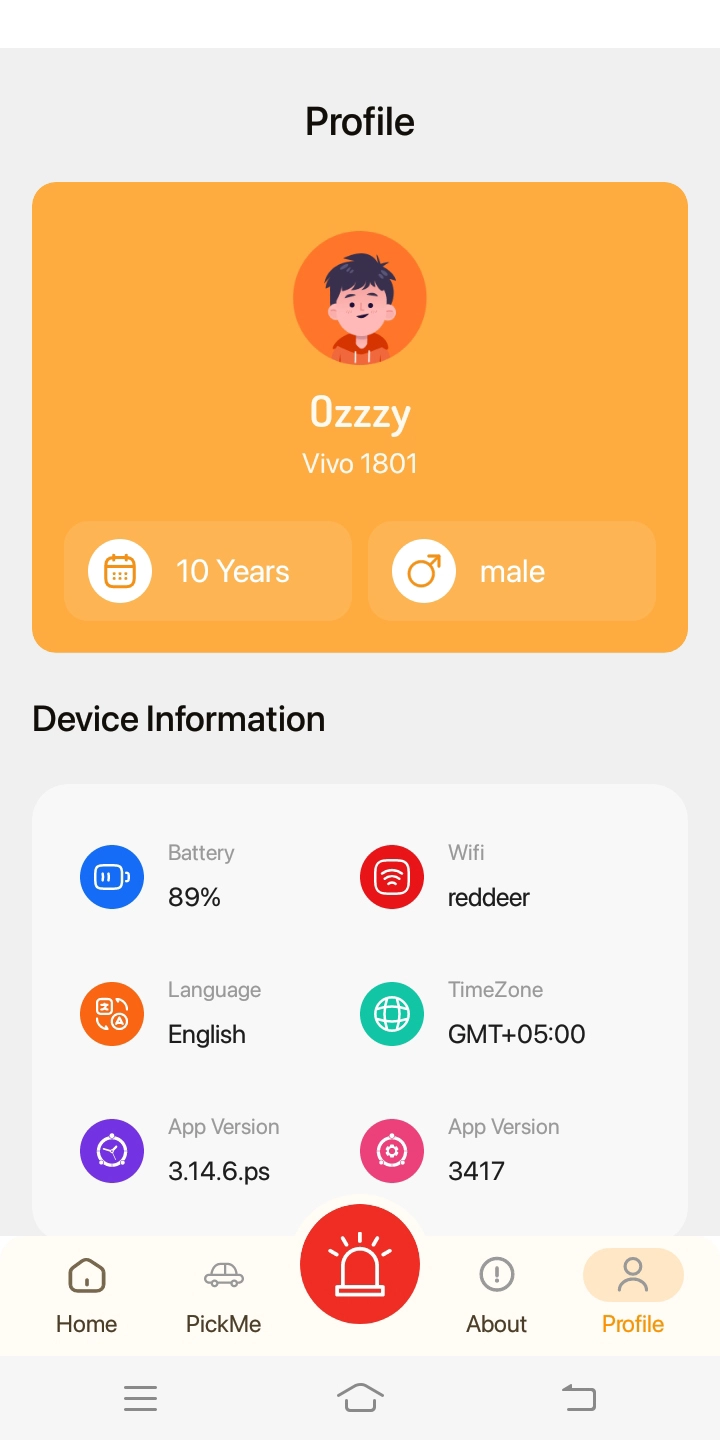
Scroll down the main dashboard to find the "Uninstall App" option.
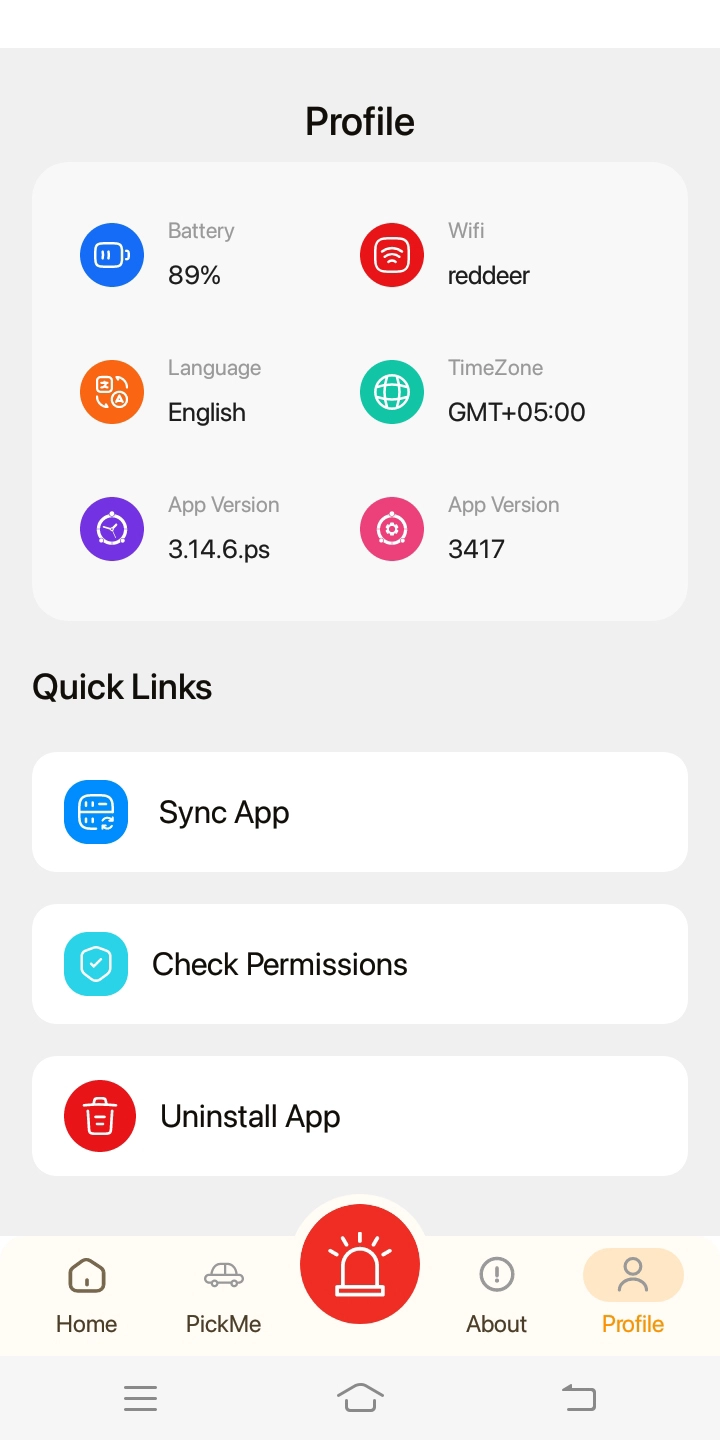
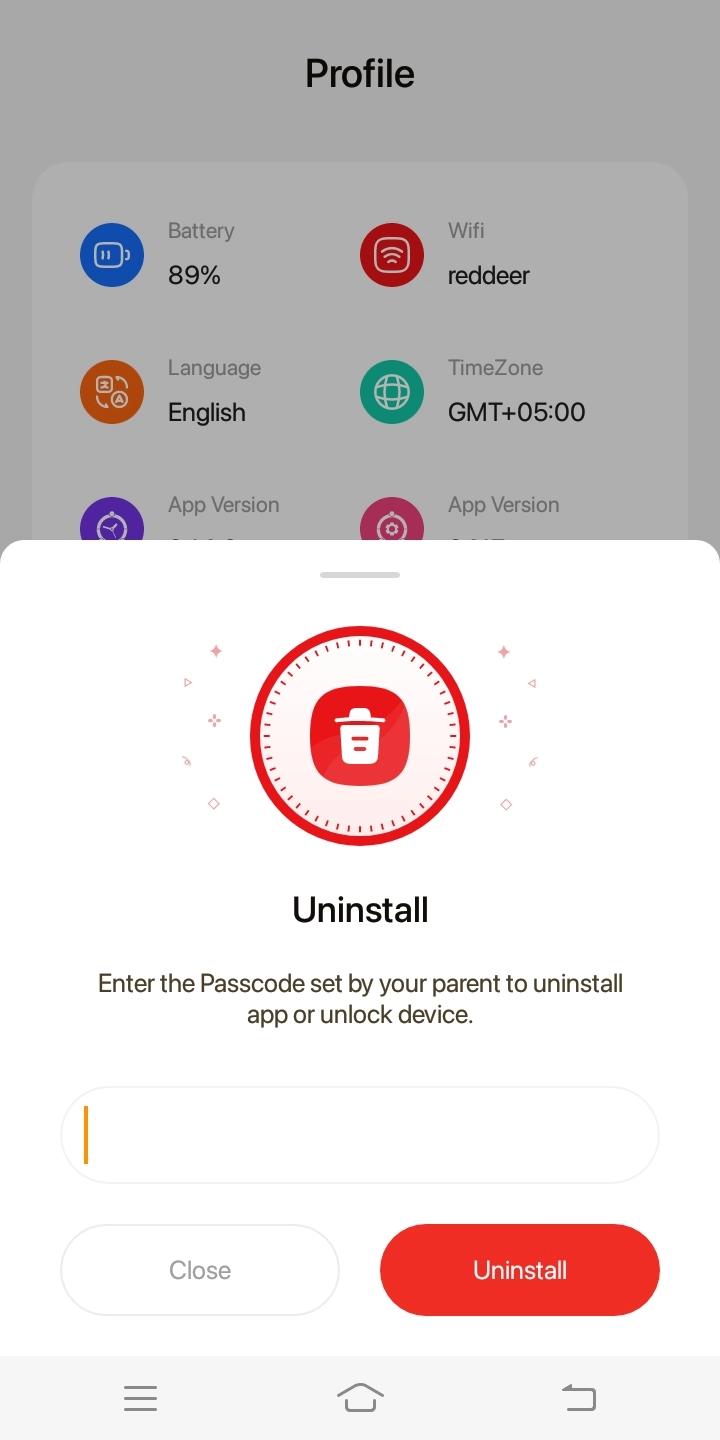
Tap the "Uninstall App" option. Enter the passcode in the pop-up box.
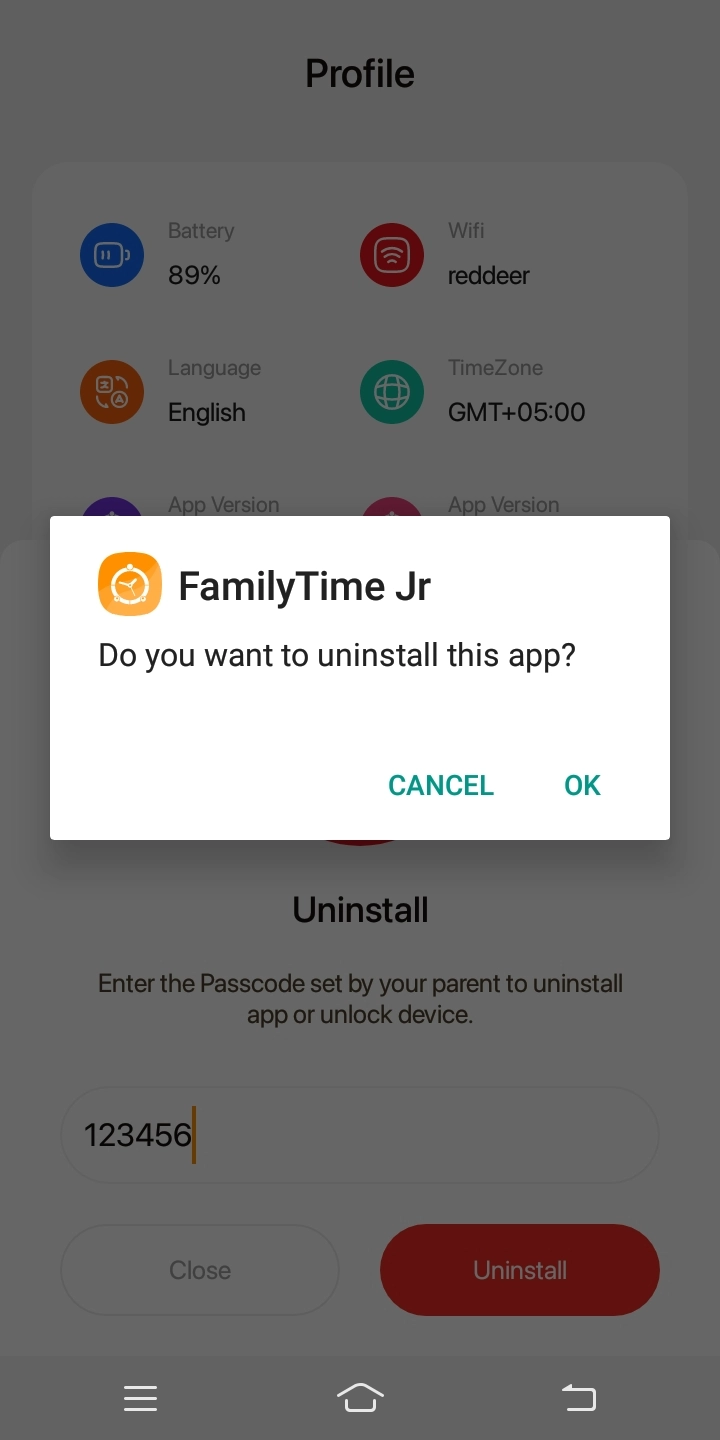
Tap "Uninstall App" and confirm the action.
It's all done!
Remember, after uninstalling the app, you cannot review or monitor the child's device from the FamilyTime Parent Dashboard. However, it's possible to reinstall and add the same device to your FamilyTime account anytime.

Need an Advice?
Not sure about something or want to have a quick word with one of our experts? No worries, our parenting experts are here for you 24/7! Click the button below and get to talk to our Expert right away!