

How do I add my child’s phone to my FamilyTime account?
Adding a new child device to your FamilyTime account is simple. Your subscription plan allows you to add up to five child devices without creating a new account every time. Here are simple steps to follow:
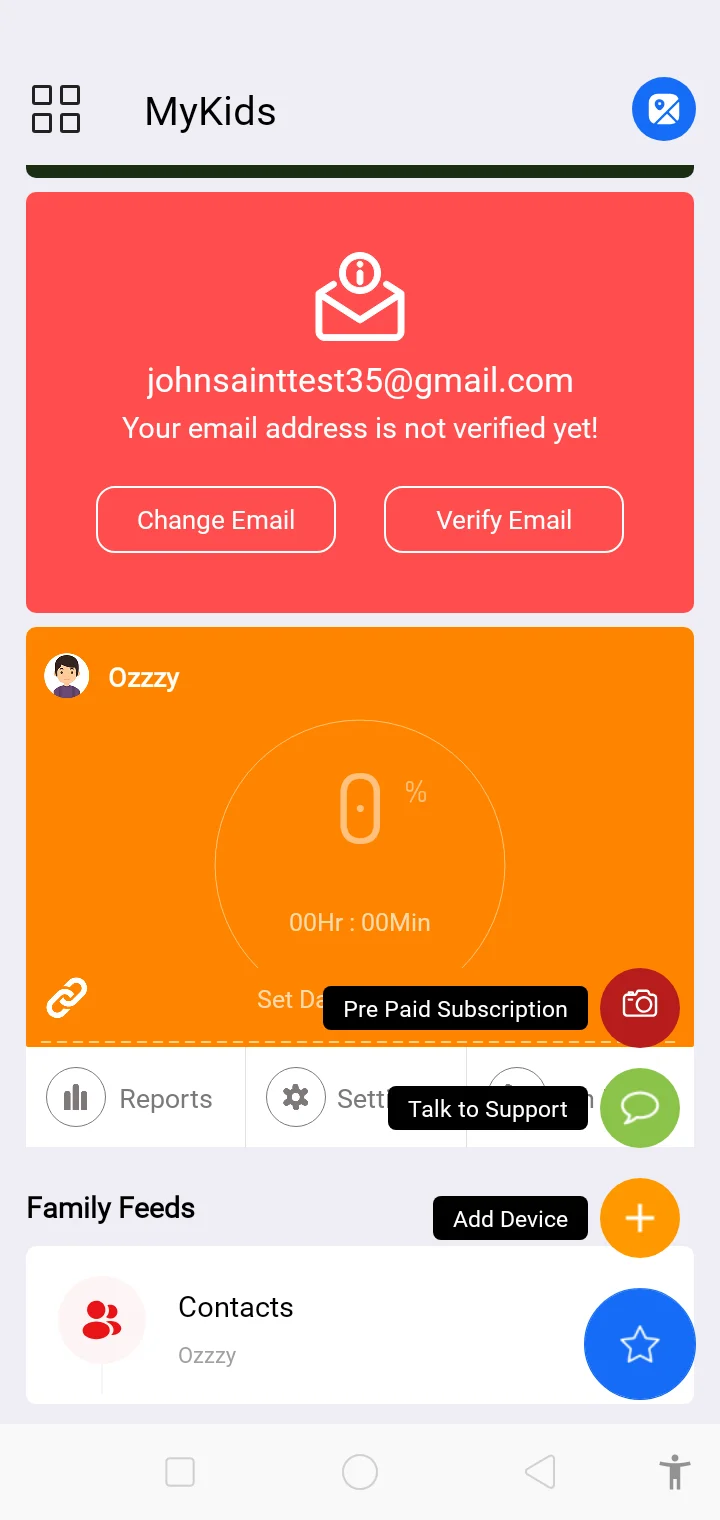
Go to your FamilyTime Parent Dashboard. Tap on the “Star” sign in the bottom right corner.
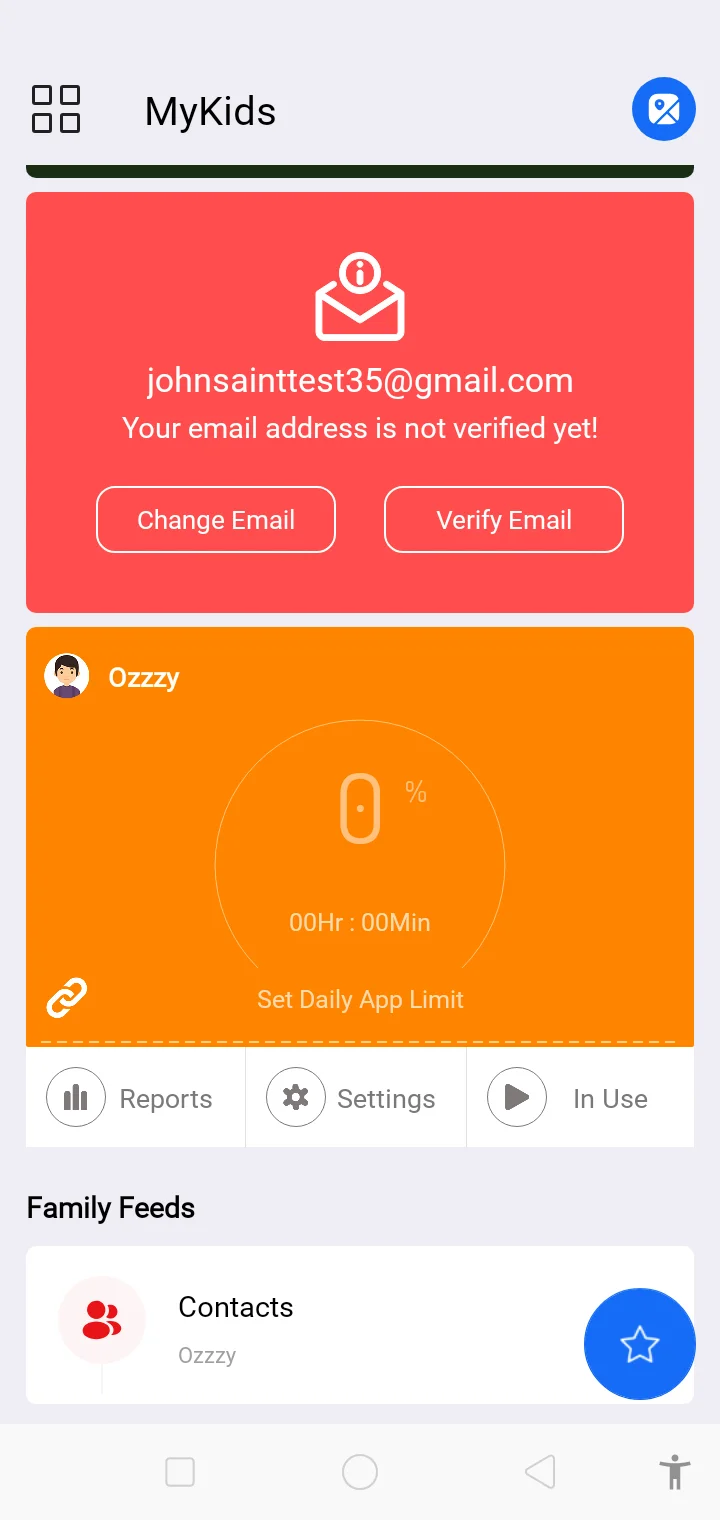
Tap on the “+” sign labeled as “Add Device”.
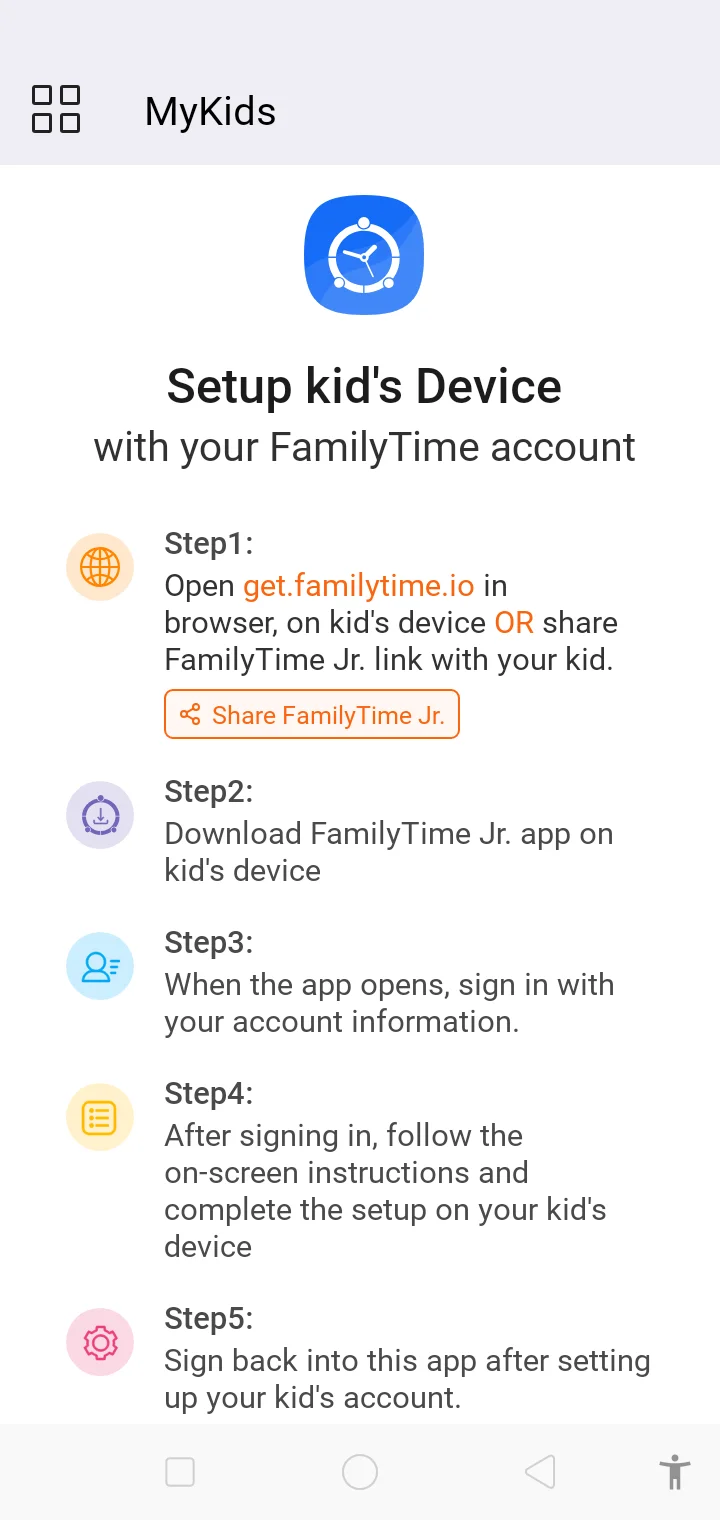
Follow the on-screen instructions to add and set up a new kid’s device.
Once done, you can see the child account added to your account dashboard.
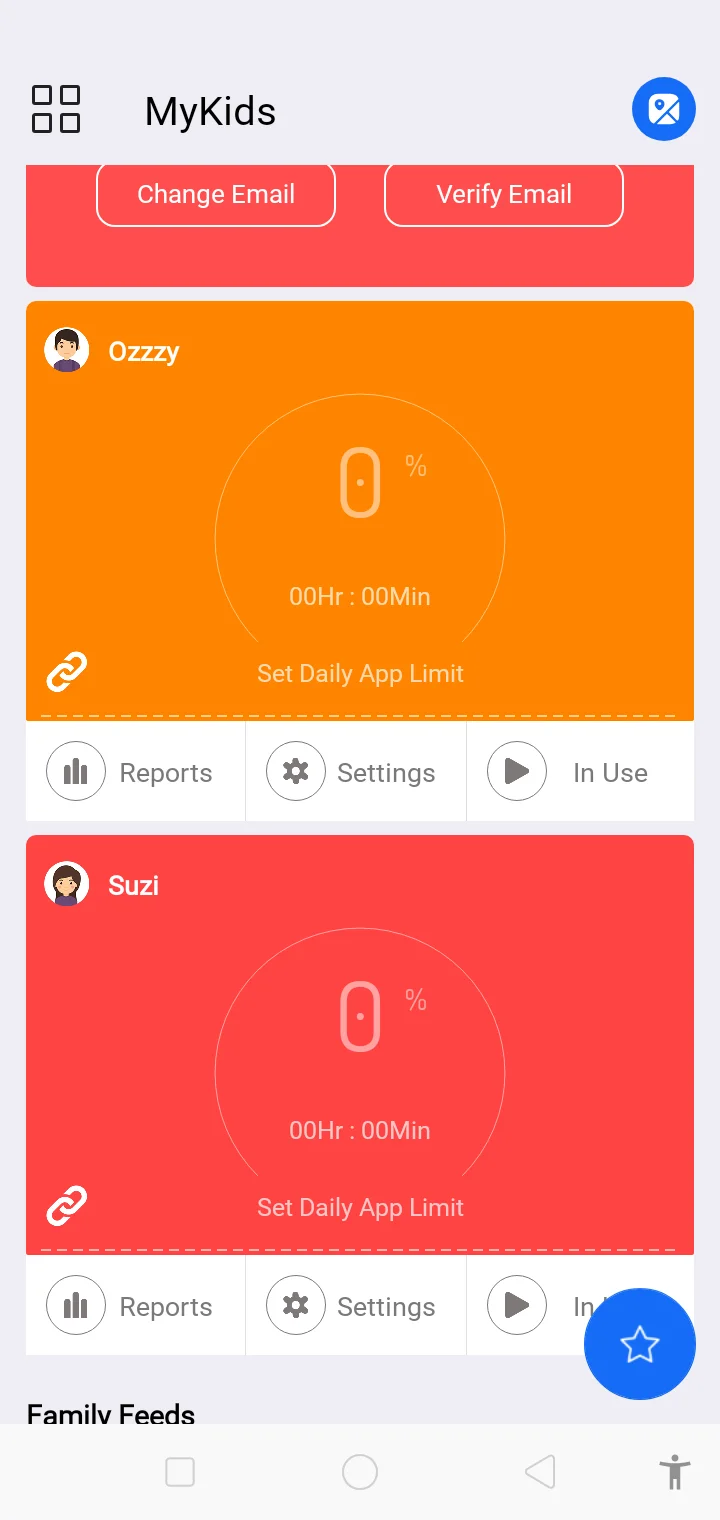
Now, you are all set to set rules and limits and activate notifications for the child’s devices to maximize digital safety.
Alternatively, you can download FamilyTime Jr. App for Android or iOS on your child’s device. Login to the app using your credentials and follow on screen instructions to give permissions and set up the child’s device.

Need an Advice?
Not sure about something or want to have a quick word with one of our experts? No worries, our parenting experts are here for you 24/7! Click the button below and get to talk to our Expert right away!