

What is FamilyTime - Dashboard?
FamilyTime – Dashboard is the control center for parents to control, manage, and monitor their children’s mobile devices. You can access account settings, added devices, MyKids, help desk, and more from the Dashboard.
Open your FamilyTime - Dashboard app
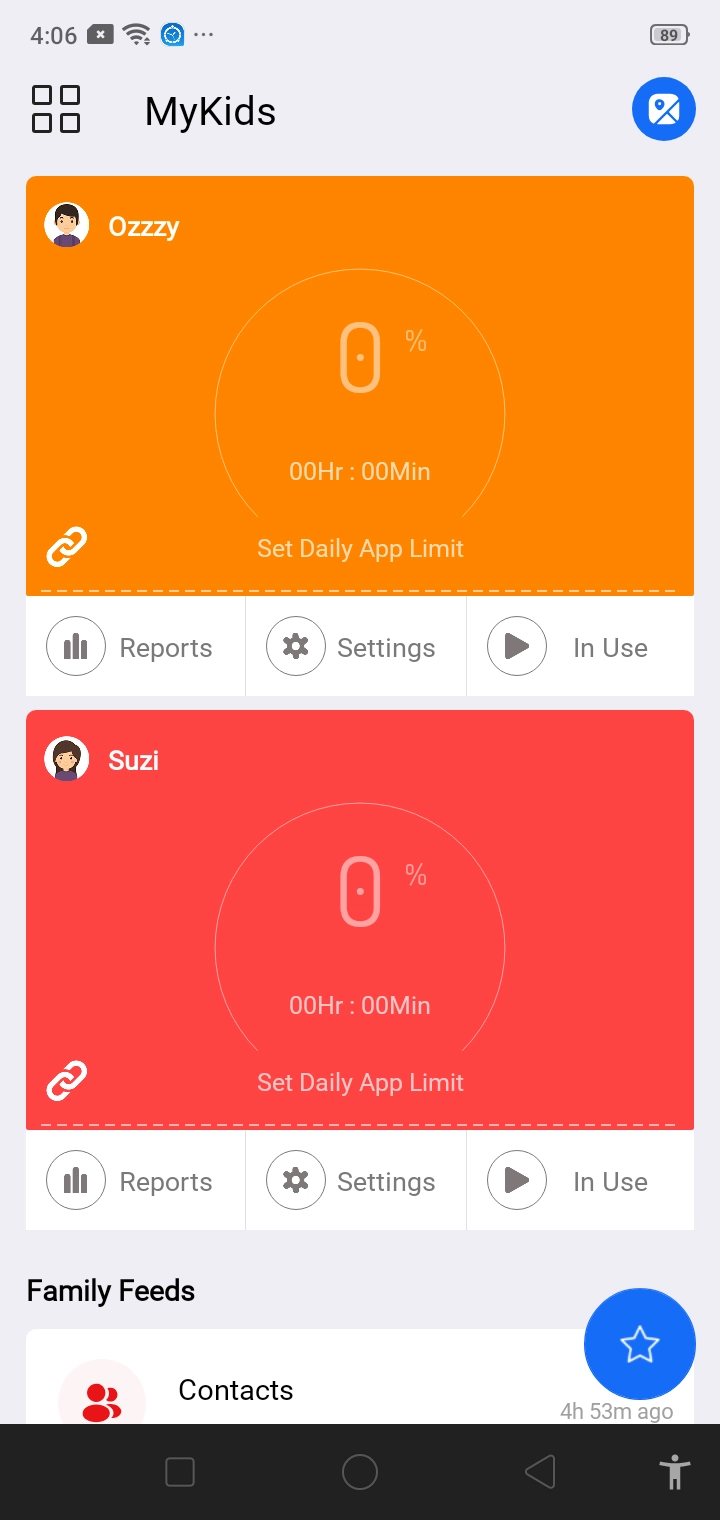
At a glance, the Dashboard offers you access to
- All the child profiles added to your account
- Quick report of each child profile
- Access to FamilyLocator
- View of all FamilyFeed
- Shortcut to Settings for each child profile
- Shortcut to lock your child’s mobile device
You can access FamilyTime Dashboard by installing the FamilyTime – Dashboard Parent App on your device. It is to notify you that installing the Parent App will not result in data collection from your device.

Need an Advice?
Not sure about something or want to have a quick word with one of our experts? No worries, our parenting experts are here for you 24/7! Click the button below and get to talk to our Expert right away!