

What is FamilyTime – Child Dashboard?
FamilyTime – Child Dashboard displays the summary of controls to children on their devices. It’s an interactive medium that involves kids in the process of digital parenting. Kids can access the Dashboard via the FamilyTime Jr. app installed on their mobile devices.
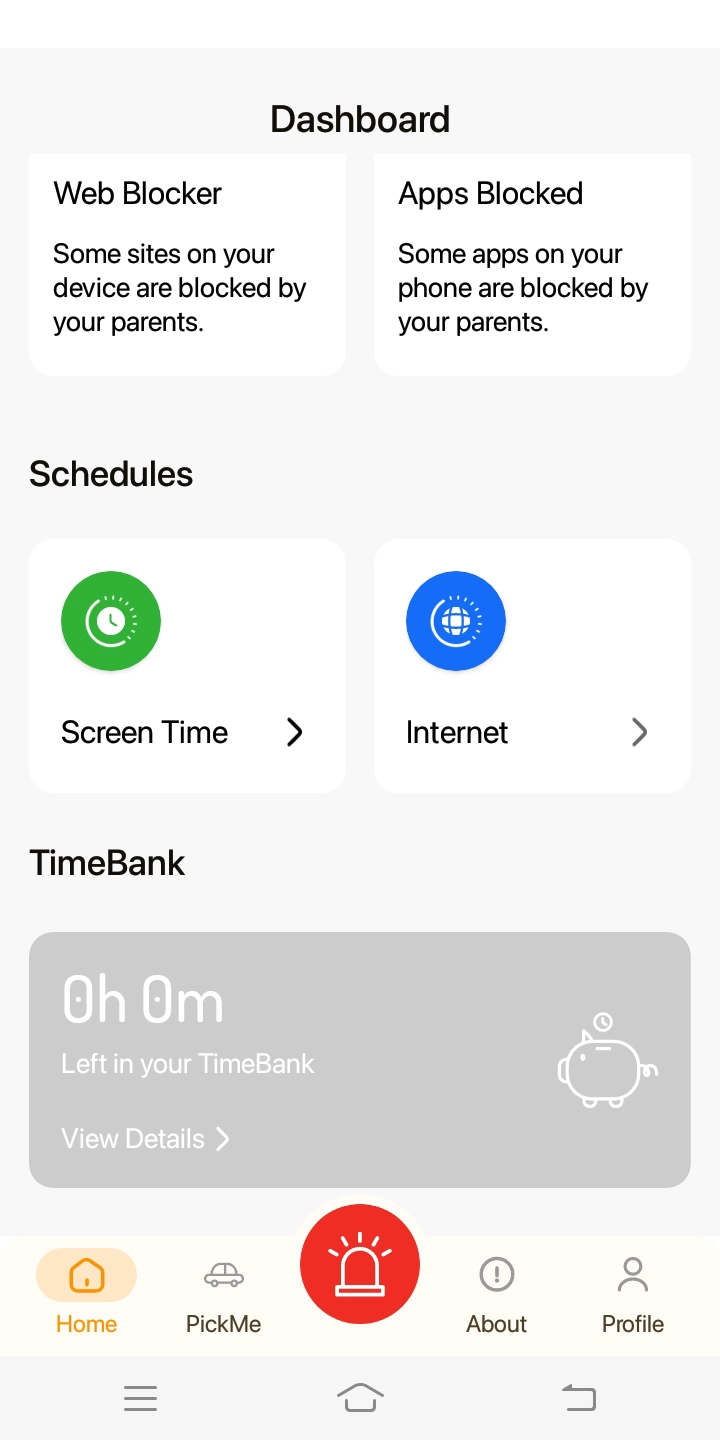
At a glance, the Dashboard offers kids access:
Instant SOS & PickMeUp alerts
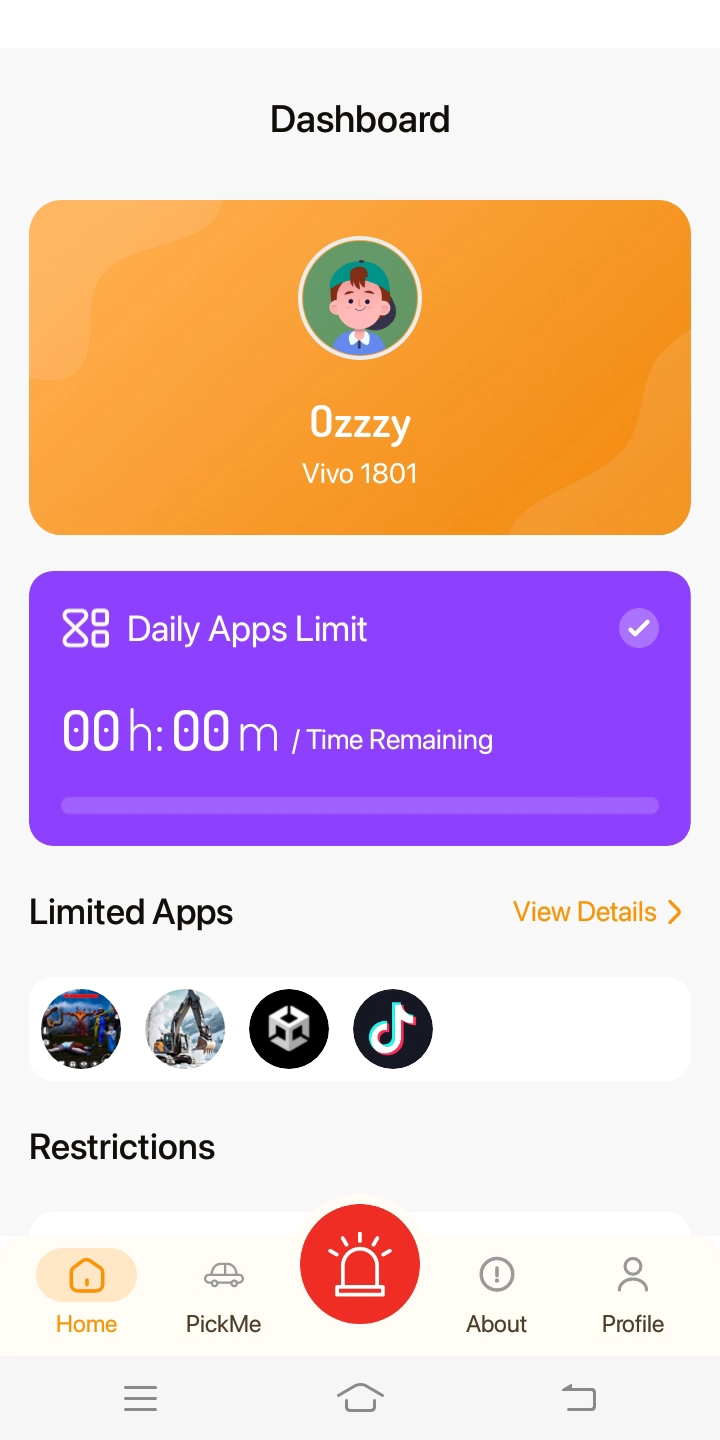
The remaining time for the daily app’s limit and Limited apps

Activated controls like internet filters, web & app blocker, Screen Time & Internet schedules and Timebank resources
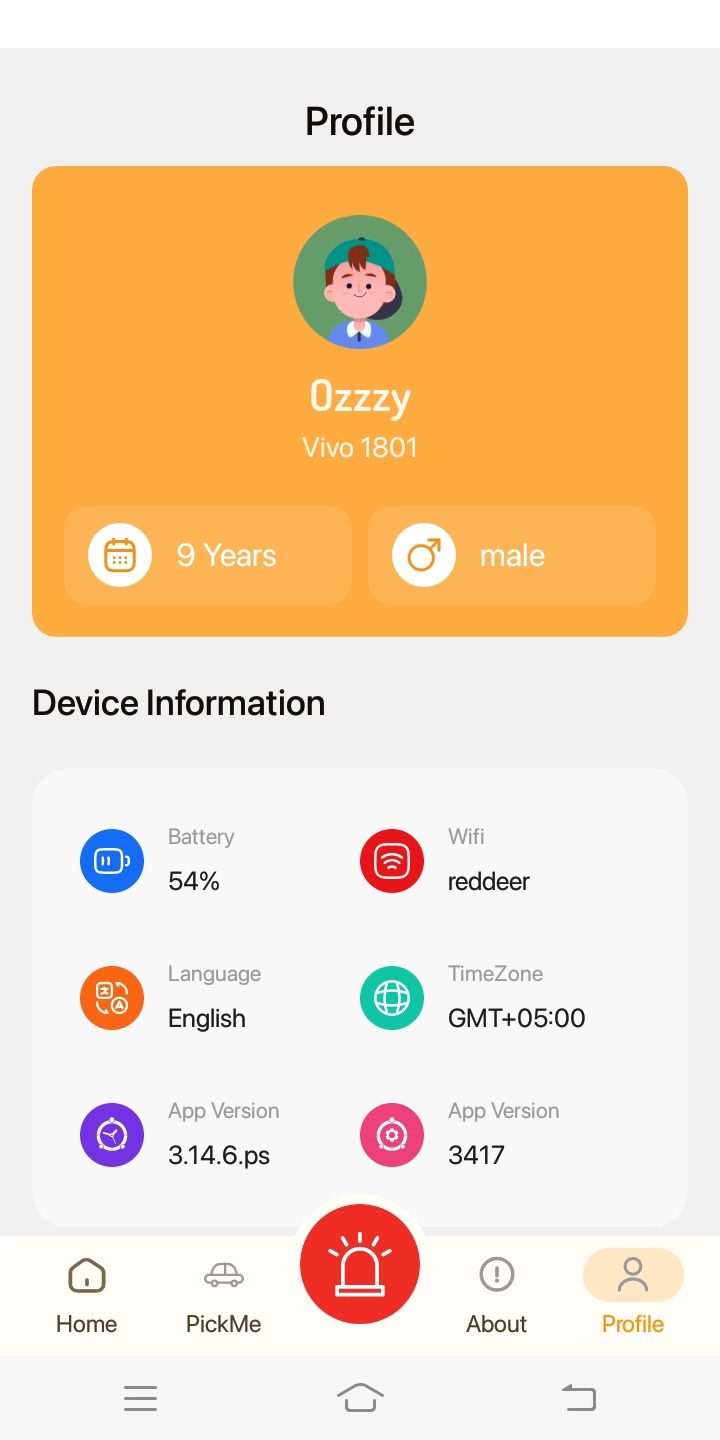
Child’s profile details
FamilyTime Child Dashboard allows kids to contact their parents with alerts and special permissions. It empowers kids to stay informed about screen time and digital rules applied to their devices. The Dashboard does offer to uninstall the FamilyTime Jr. app from a child’s device using passcode verification. Check how to uninstall the FamilyTime Jr. app for details.

Need an Advice?
Not sure about something or want to have a quick word with one of our experts? No worries, our parenting experts are here for you 24/7! Click the button below and get to talk to our Expert right away!