

Monitoring App Usage
App usage allows you to look at the total amount of time you spend on the device and the breakdown of screen time for each app. It includes all the apps that are not included in the daily limit. So, if your child's app usage exceeds the daily limit, it may be due to the other apps that are not restricted.
You can check the app usage report in your child's reports tab. In the reports, you can see the overall and individual app usage for the day, week, or month.
Modifying Daily Limit
If you think your child's daily limits are way too much and want to restrict them, it's pretty simple. Just review the existing limits and modify them to improve:
Tap on the "Settings" option of your child's profile from your FamilyTime Parent Dashboard
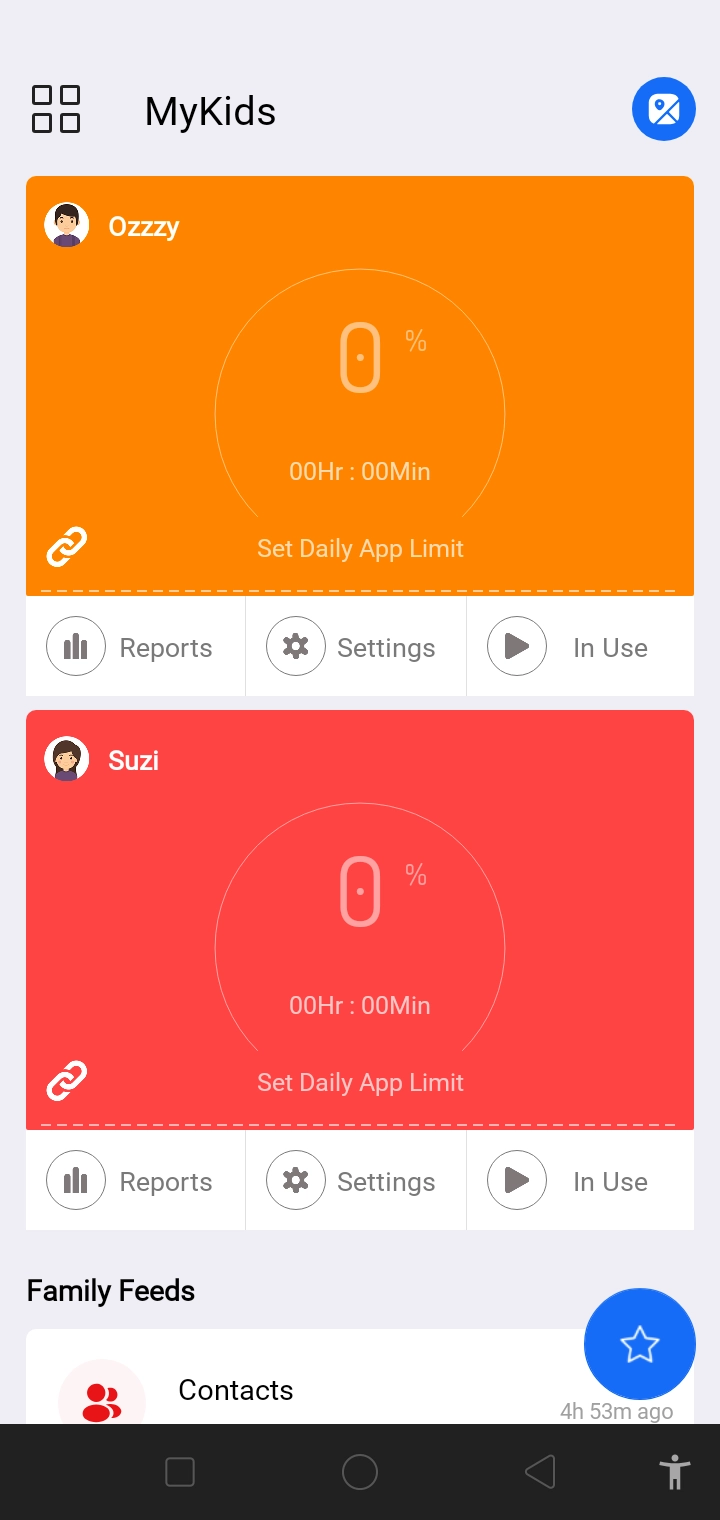
Tap “Daily App Limit.”

Select all the apps to apply the daily limits.

Use the scroll circle to adjust the time limit for the day.
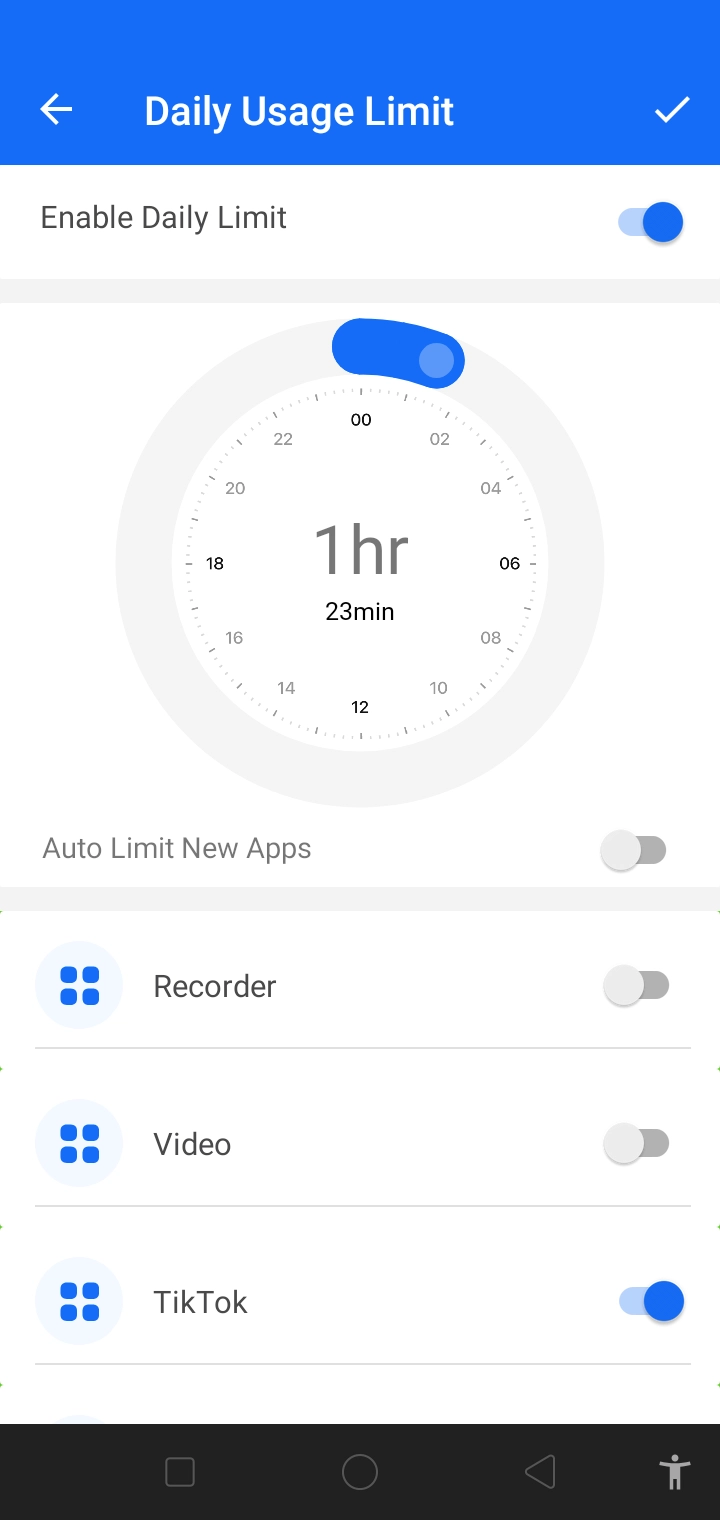
Tap the "✔" sign at the top right corner of the screen. Tap "OK" on the pop-up screen to confirm.

Scroll down the main menu to find the "Sync Settings" option.
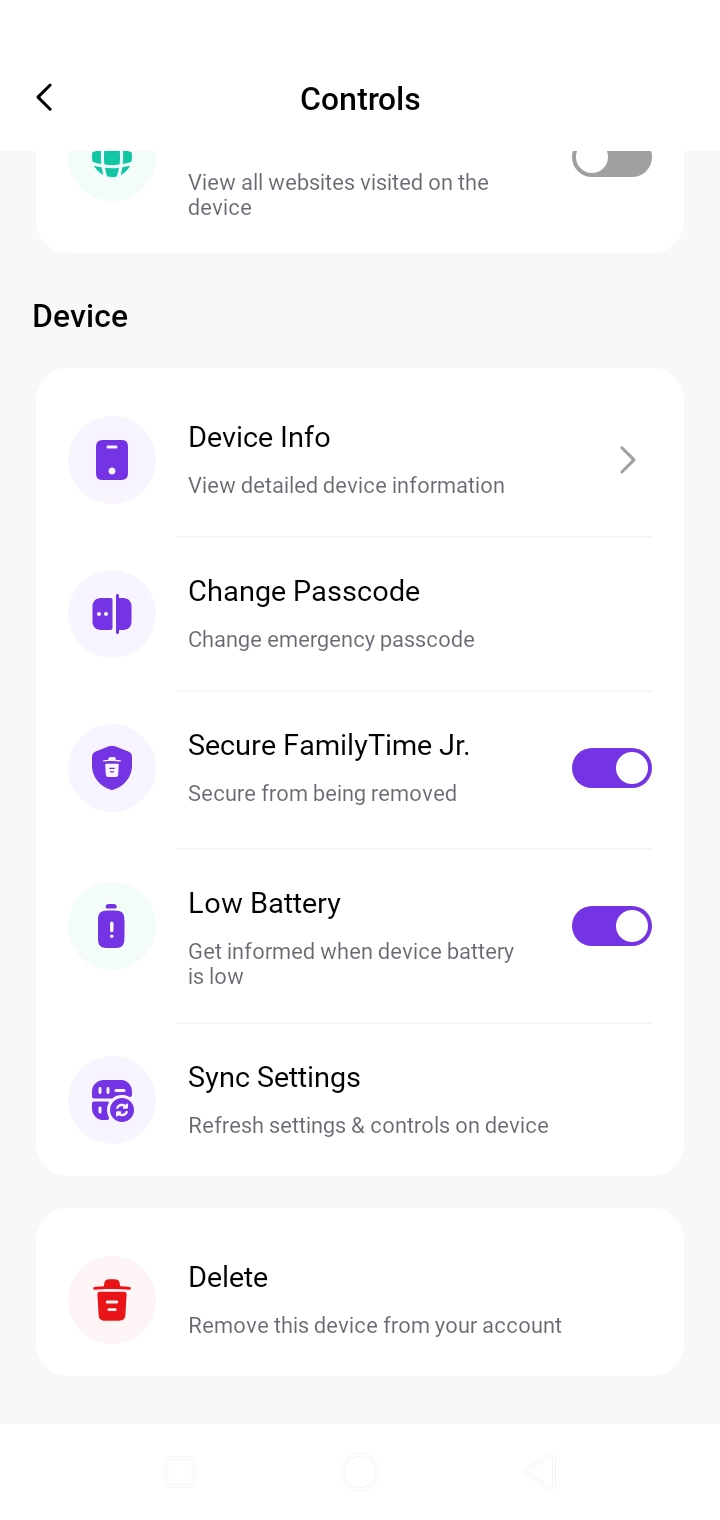
Tap "Sync Settings" to implement the latest rules on your child's device.
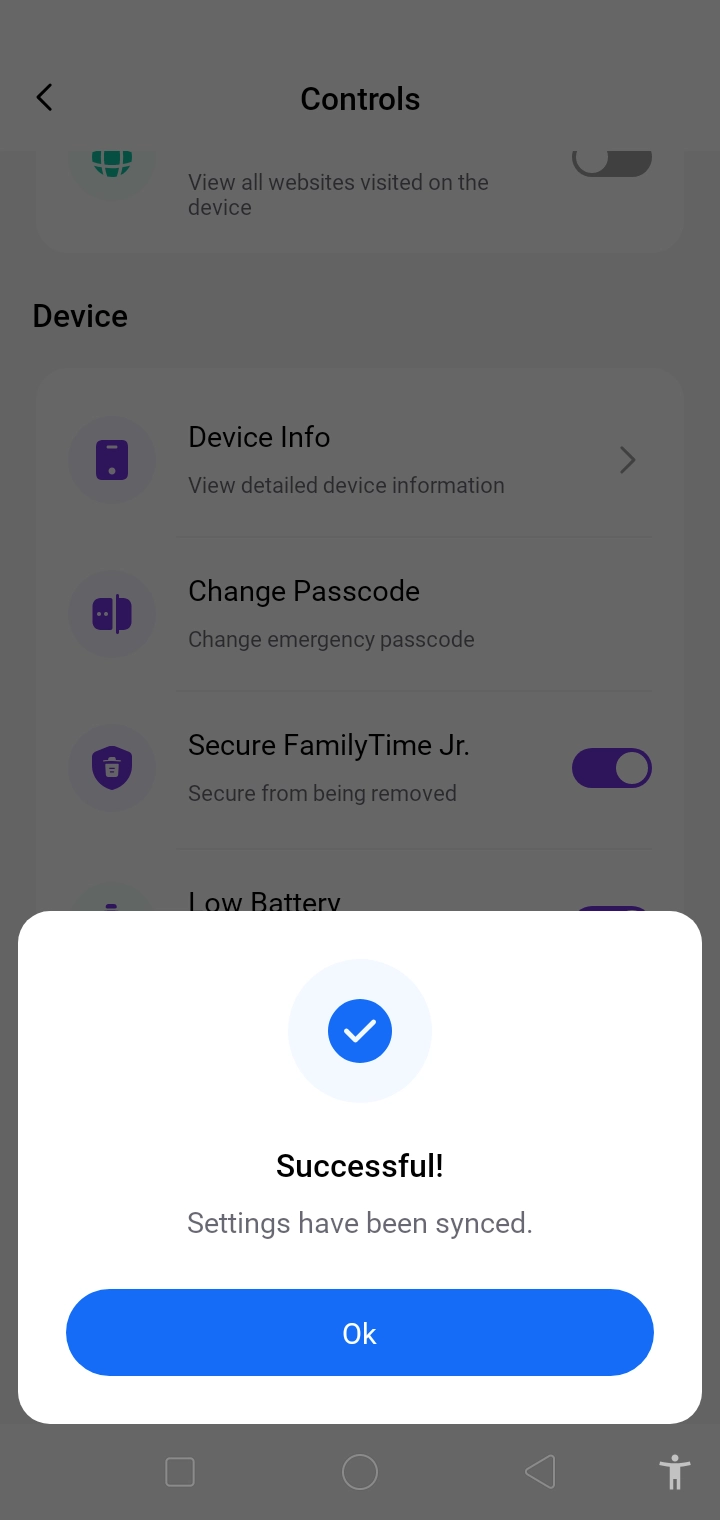
You can adjust and manage the daily app limits by regularly monitoring the child's screen time consumption.

Need an Advice?
Not sure about something or want to have a quick word with one of our experts? No worries, our parenting experts are here for you 24/7! Click the button below and get to talk to our Expert right away!