

FamilyTime App Usage - Insights to Child's App Bias
Smart parenting starts with poignant monitoring. FamilyTime App Usage reports tell you exactly how long your child uses apps. Get to know your child's app usage patterns closely so you can know if there is a need to regulate their app usage.

Kid's App Usage Stats Are Shocking!
Kids can do a lot on their mobile devices, but mobile apps are mostly their core attractions. They are crazy about these apps, whether social media, games, or random.

90% of teens aged 13-17 use social media apps

70% of gamer kids play games on their mobile devices

47% of kids play games multiple times a day on the phone
Get Insights on Your Child's App Usage Patterns
You can get a clear picture of your children's app usage patterns by monitoring their app usage by monitoring their app usage. Which apps do they use most frequently, under the categories and apps tabs?

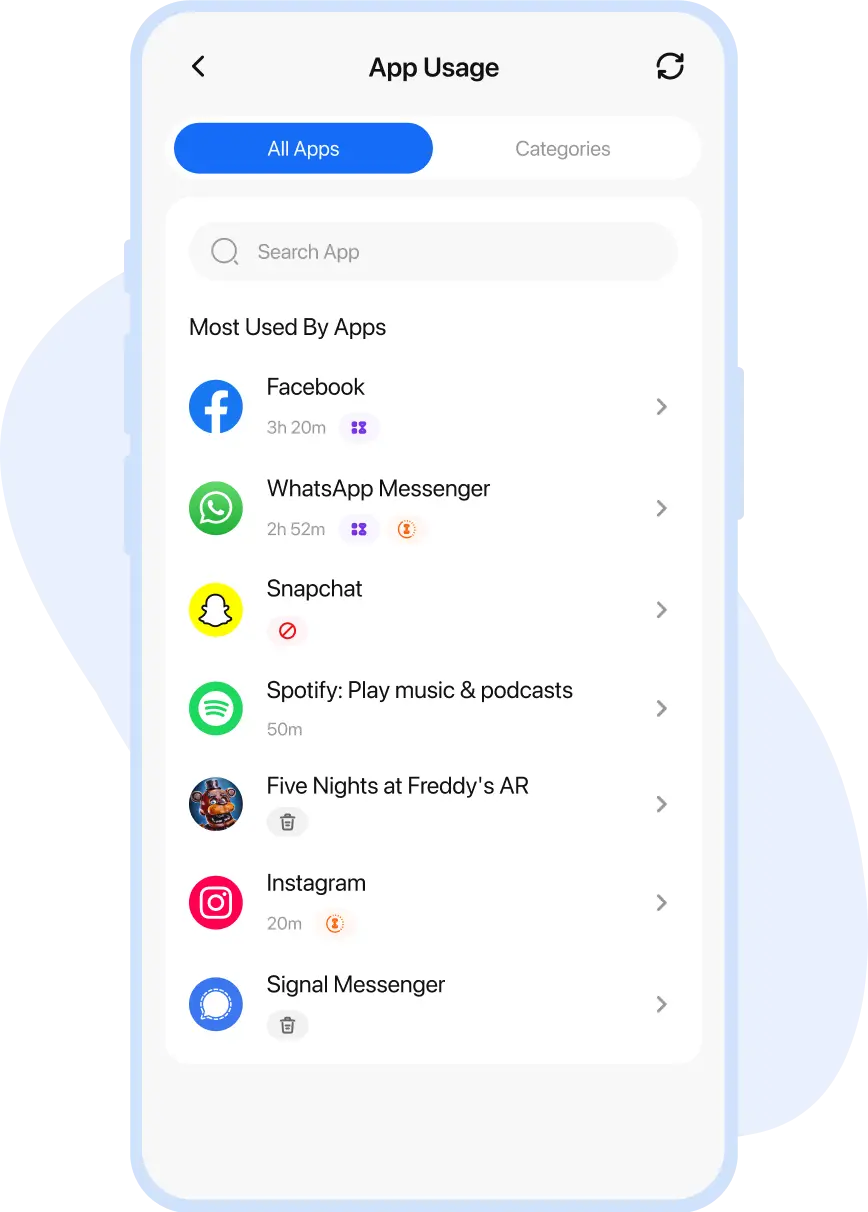
Most Used by Apps
List of the apps your kid spent most of the screen time

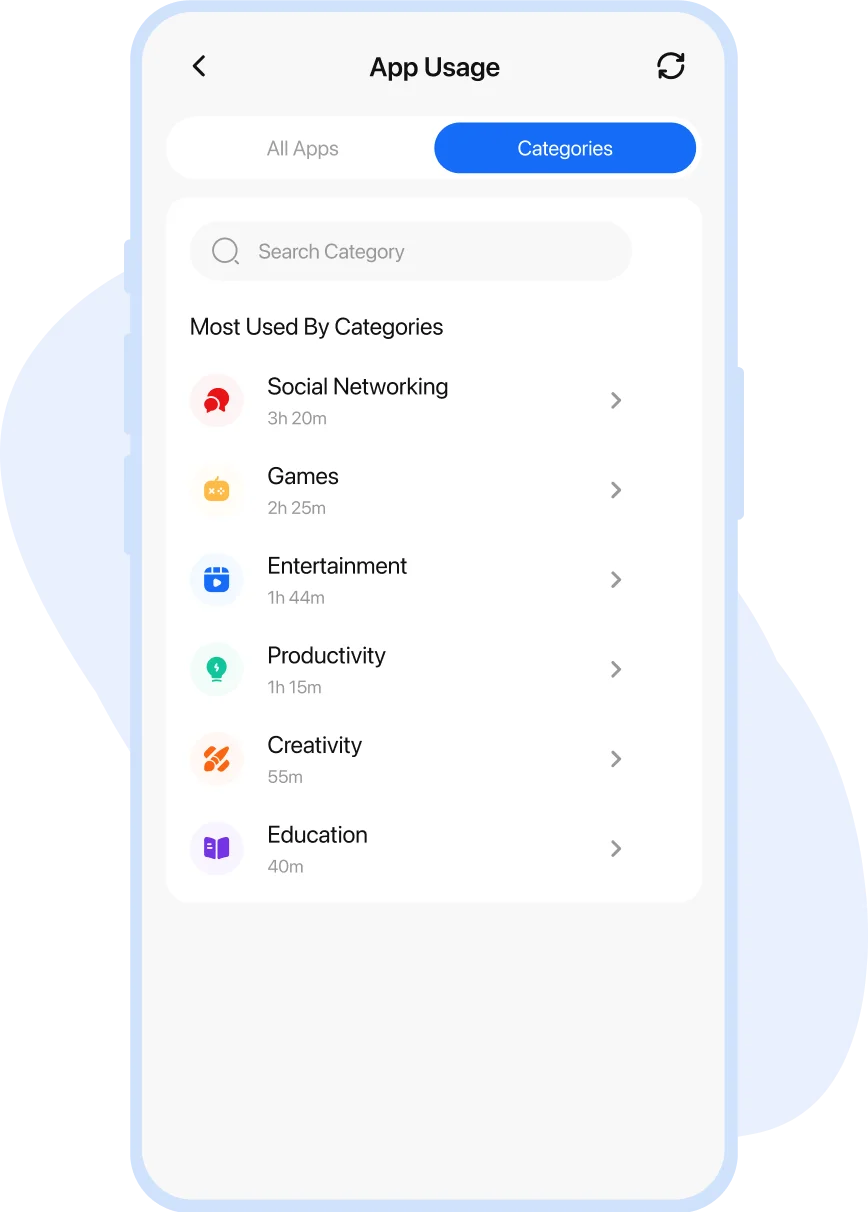
Most Used by Category
Frequently used apps by different app categories
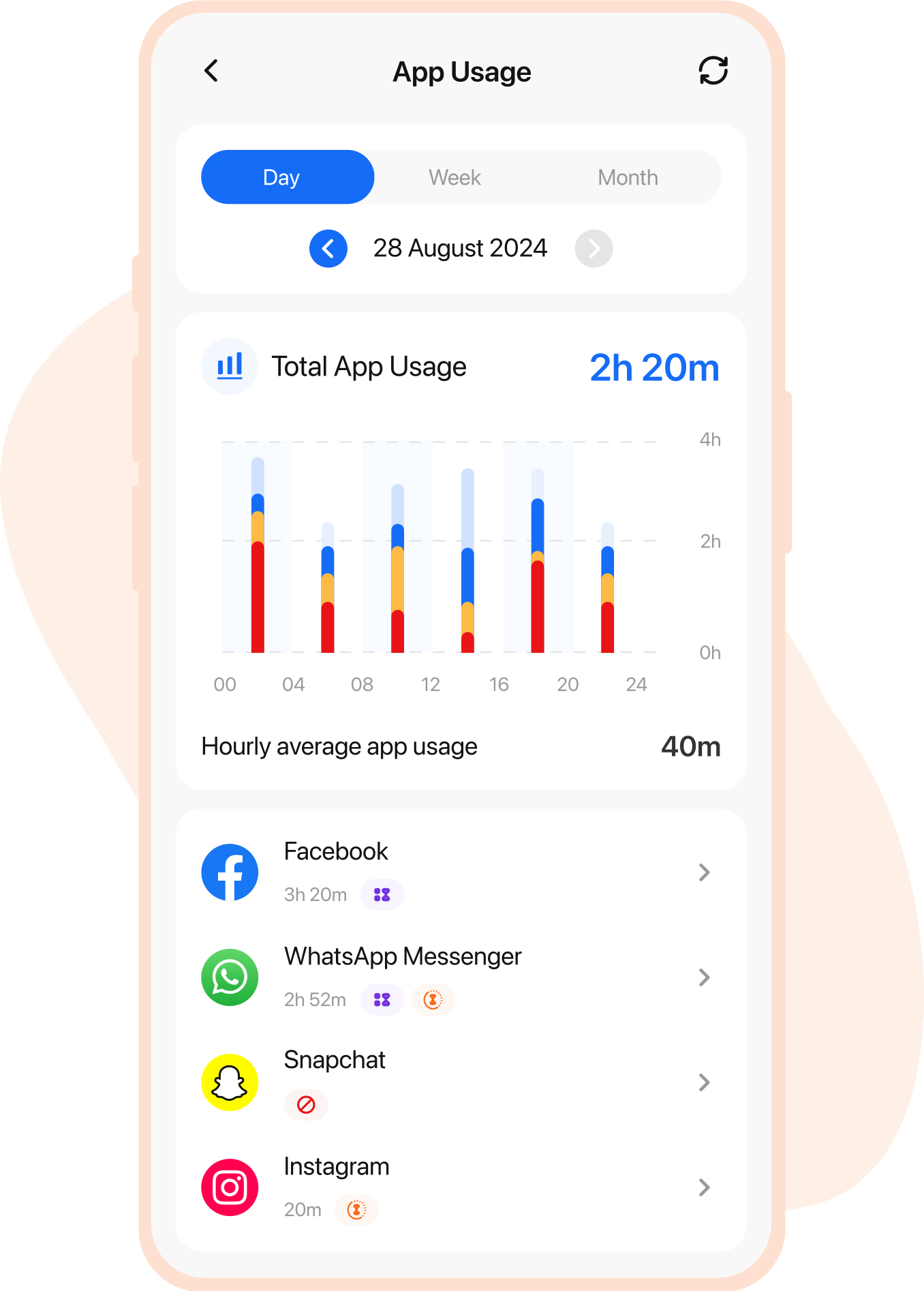
See Time Spent on Each App and Collectively
FamilyTime App Usage reports are designed so you can know the exact time spent on each app at different times.


Daily Time Spent
Details of daily time spent on each app.


Monthly Time Spent
Average time spent on the apps in a month.

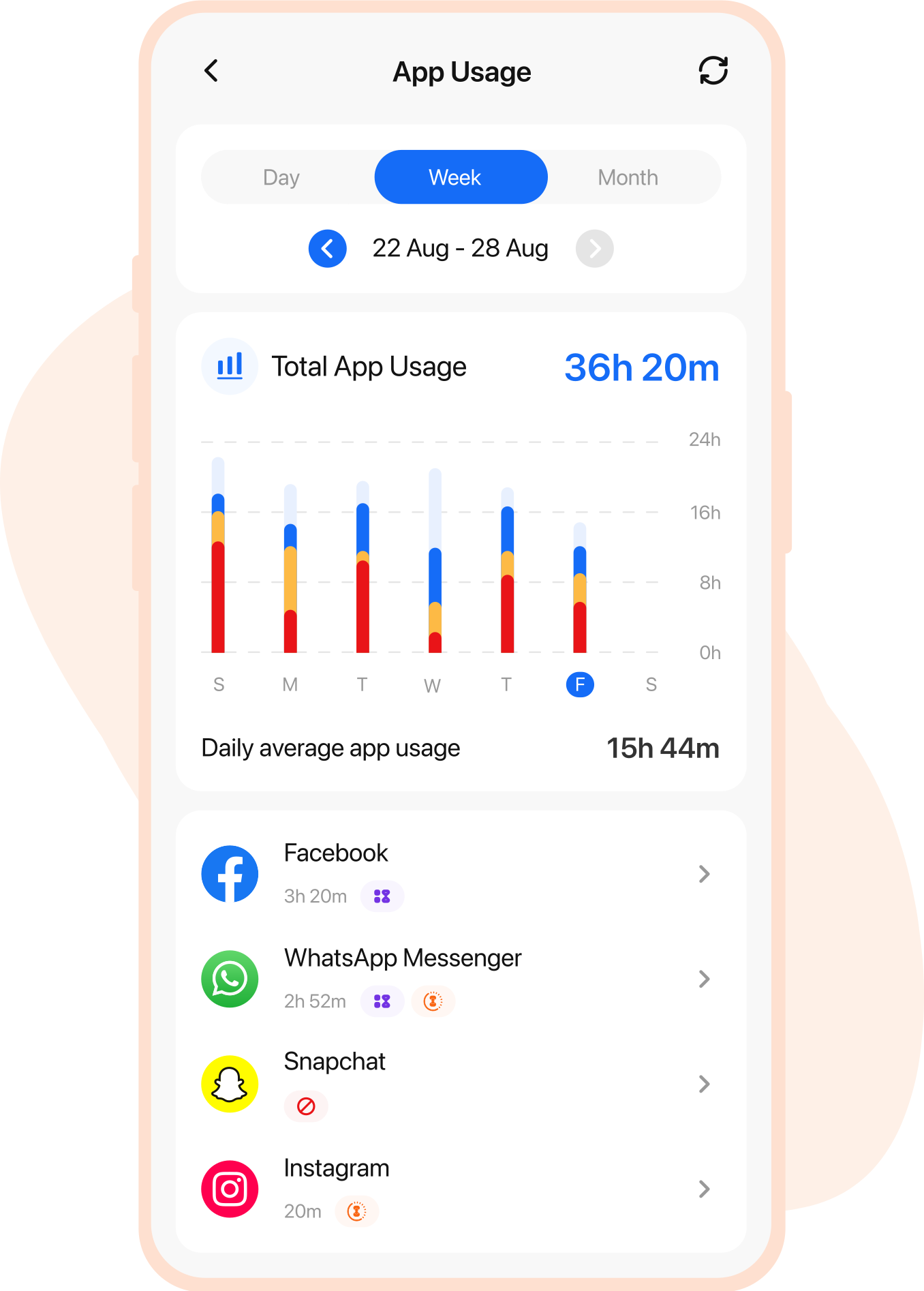
Weekly Time Spent
Comparison of the app usage every week
Real-life Stories by Real Parents

Lisa Jenson
Via App Store

Buying an iPhone for my kid was a careful decision, but I felt that my young one was too engrossed in using the device all the time. So, the FamilyTime iOS parental control app turned out to be my savior. Using daily screen time limits is such a blessing, helping to control my child’s screen addiction.

Edward Flynn
Via App Store
I am in love with the FamilyTime parental control app for iOS devices. It’s the best choice to make my child’s digital world safer. Using device usage schedules and content filters, I am at peace that my kid is not accessing anything inappropriate or explicit at all. I recommend other parents use the app.

Christian Brown
Via App Store
Observing my children aggressively using their iOS devices triggered me to look for iOS monitoring software, and I found FamilyTime. It has all the iOS parental controls I wanted, from screen time limits to content filters, web blockers, and even app blockers.

Stacy Watson
Via App Store
I was hell irritated with my kids playing games all the time and not paying attention to their study, dinner, and sleep routine. So, I got the FamilyTime iOS Parental control app. With a single tap, I can enable device downtime and block all third-party apps on their iOS devices.
Easy Individual App Usage Comparison
App Usage lets you compare the app usage stats from day to day. You can review and compare the app's usage on different days.

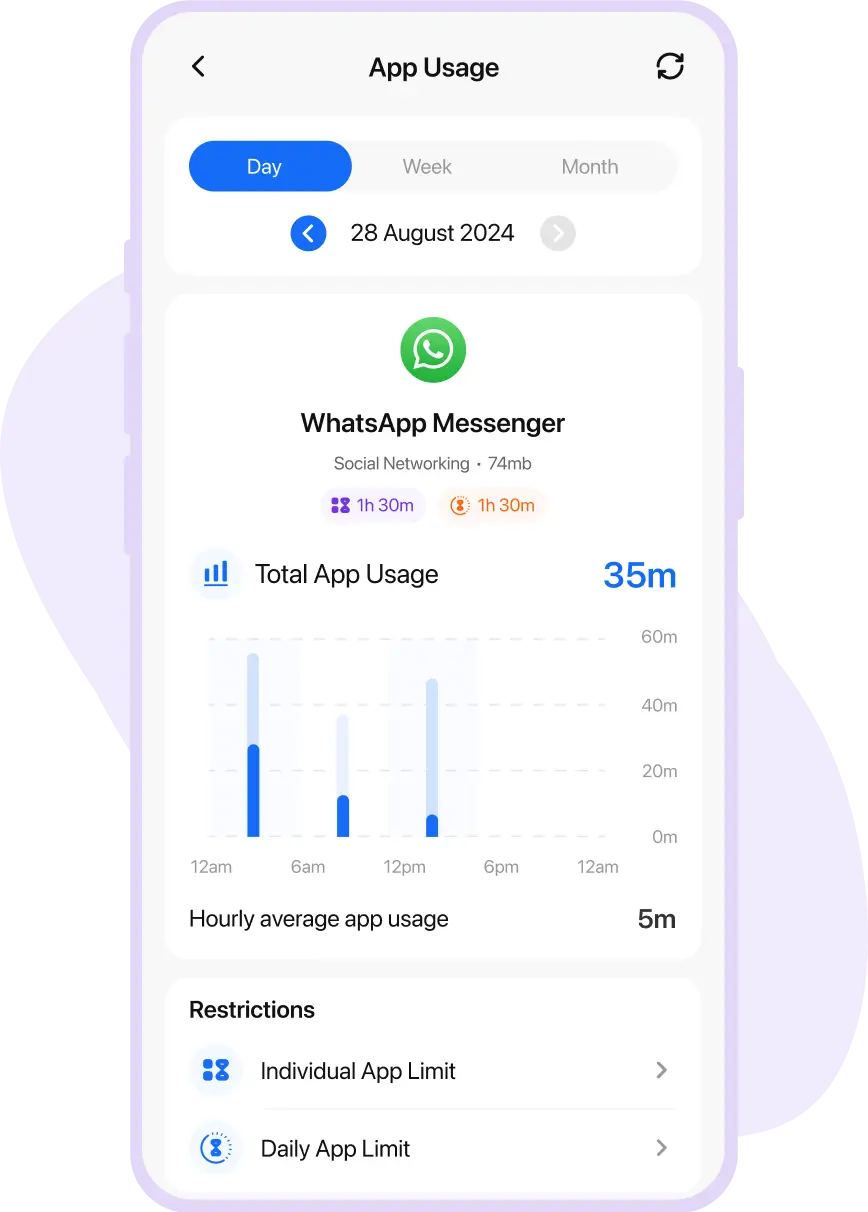
Compare by Day
Daily insights into the app's usage for clarity.

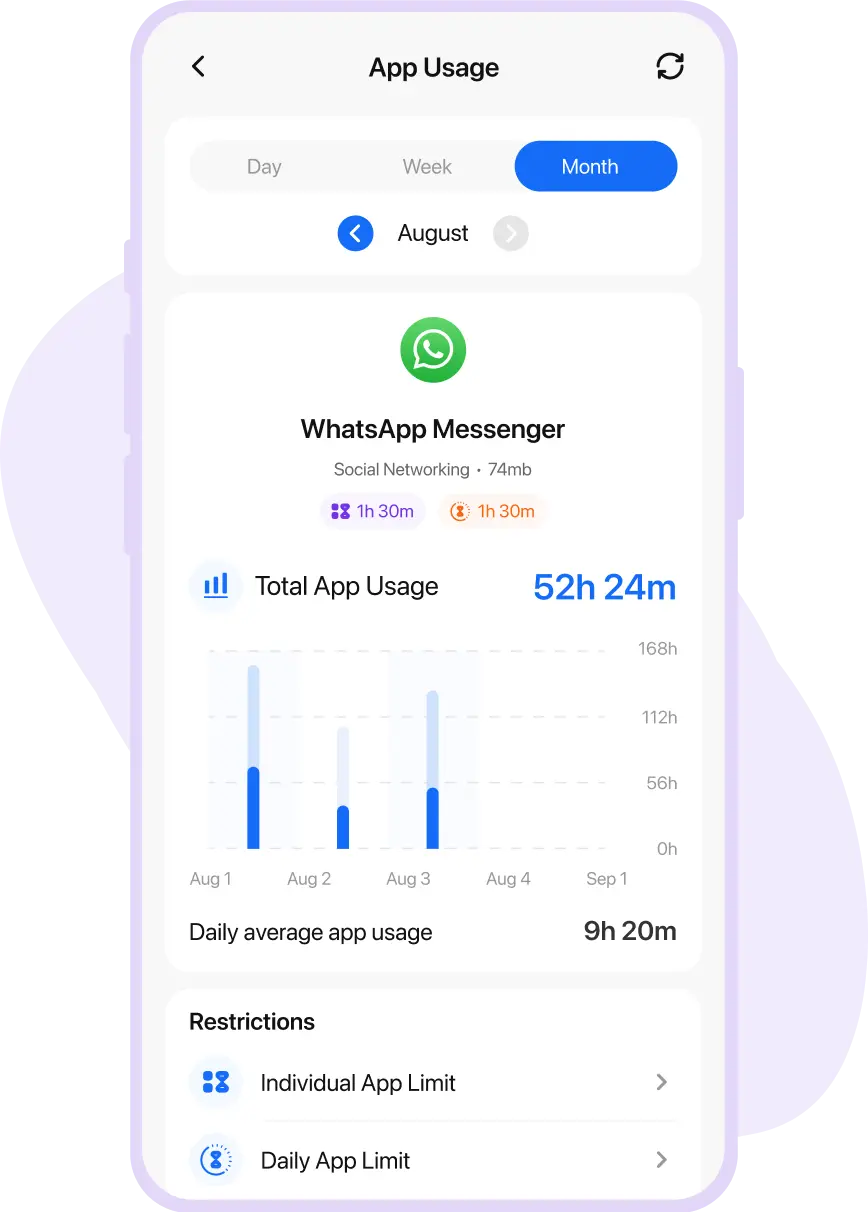
Compare by Month
Review the app's usage over the month.

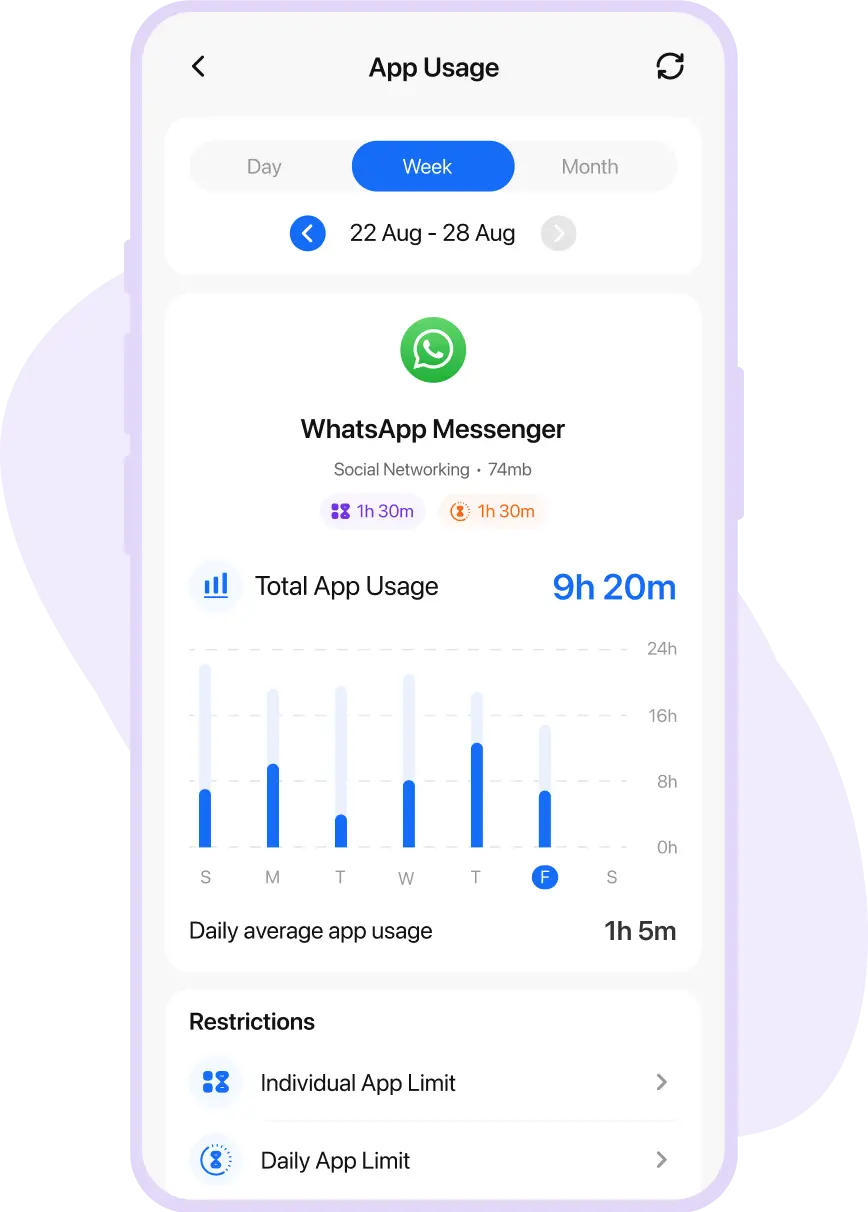
Compare by Week
Analyze the app's usage for the whole week.
How Does App Usage Report Help You in Digital Parenting?
App usage report by FamilyTime helps you level up your digital parenting with essential insights. You can make smart moves to control excessive app usage and block explicit ones using real-time data.

Identifying Frequently Used Apps
Get to know about the apps your kid uses frequently and put limits on them.

Block Explicit Apps
Mark the explicit and dangerous apps on a child's device and block them for good.

Review & Modify Screen Time schedules
Customize screen time schedules to ensure kids are not using apps at the wrong times.

Track Down App Usage Time Pattern
Evaluate the peak time of the app usage and make changes to rules accordingly.

Set Individual & Daily App Limits
Access the app usage data to define the daily app usage limits for all or individual apps.
Media Covered Us


Why FamilyTime is the Best Parental Control App
Take Back Control of Your Family Time with Effortless and Effective Digital Parenting

30-Day Reporting History

FREE Access to New Features

Uninstall Protection

Easy to Use Interface

Co-Parenting Made Easy

GDPR Compliance

One Account Multiple Devices
