

FamilyTime Internet Schedule for Android
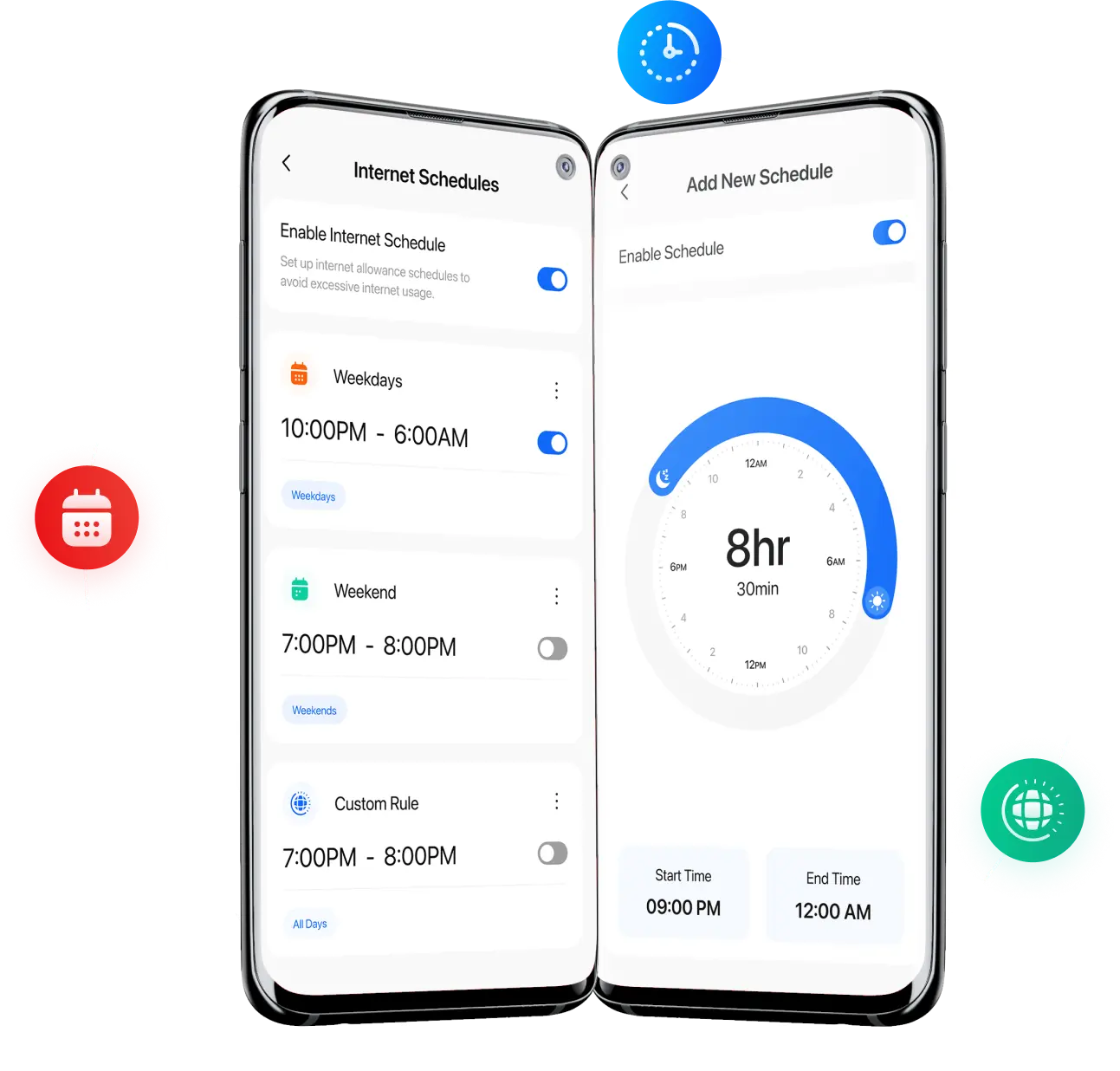
Manage and create your customized schedule to control your kid's internet access. With this top-notch feature, FamilyTime lets you control the internet activity of your child's smart devices. Decide your kid's internet access with easy, specific steps and numerous custom variations.
Scheduling Internet – A Necessity for Digital Balance
Kids are spending 6-8 hours on average daily using the internet. It lets them access freely available content online and explore things they should not. Moreover, internet obsession keeps kids distracted.

86% of parents prefer to limit their kid's access to internet

71% of kids aged between 10-16 are using the internet regularly

30% of kids using the internet are massively addicted to it
Android Internet Schedule for Dedicated Moments
Internet Schedule lets you manually adjust timing and days to allow internet access on your child's smart devices. It helps to keep them engaged in real-time situations and allows them to enjoy dedicated moments.

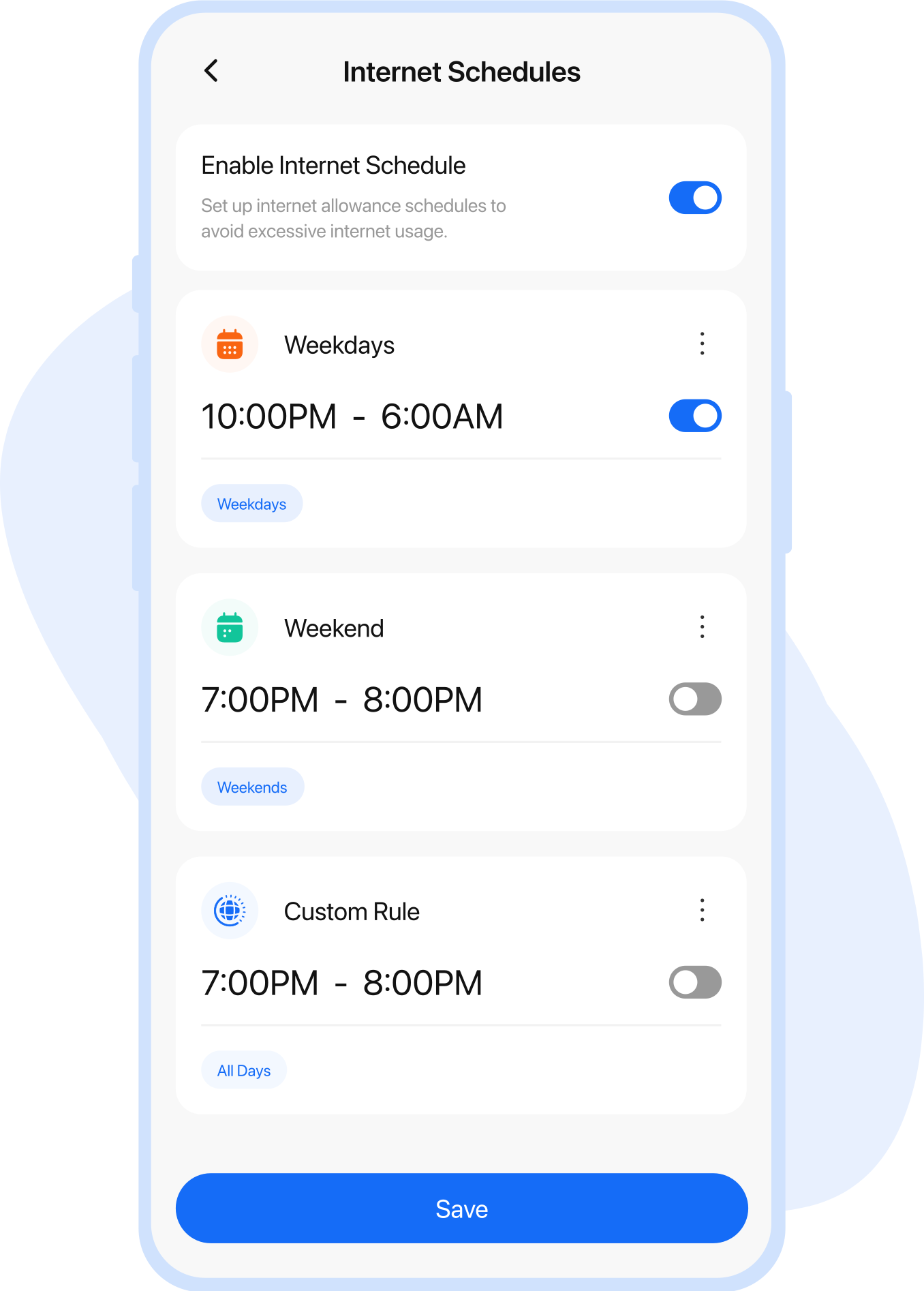
Pre-Planned Schedule
FamilyTime offers a pre-planned schedule to allow your kids internet access.

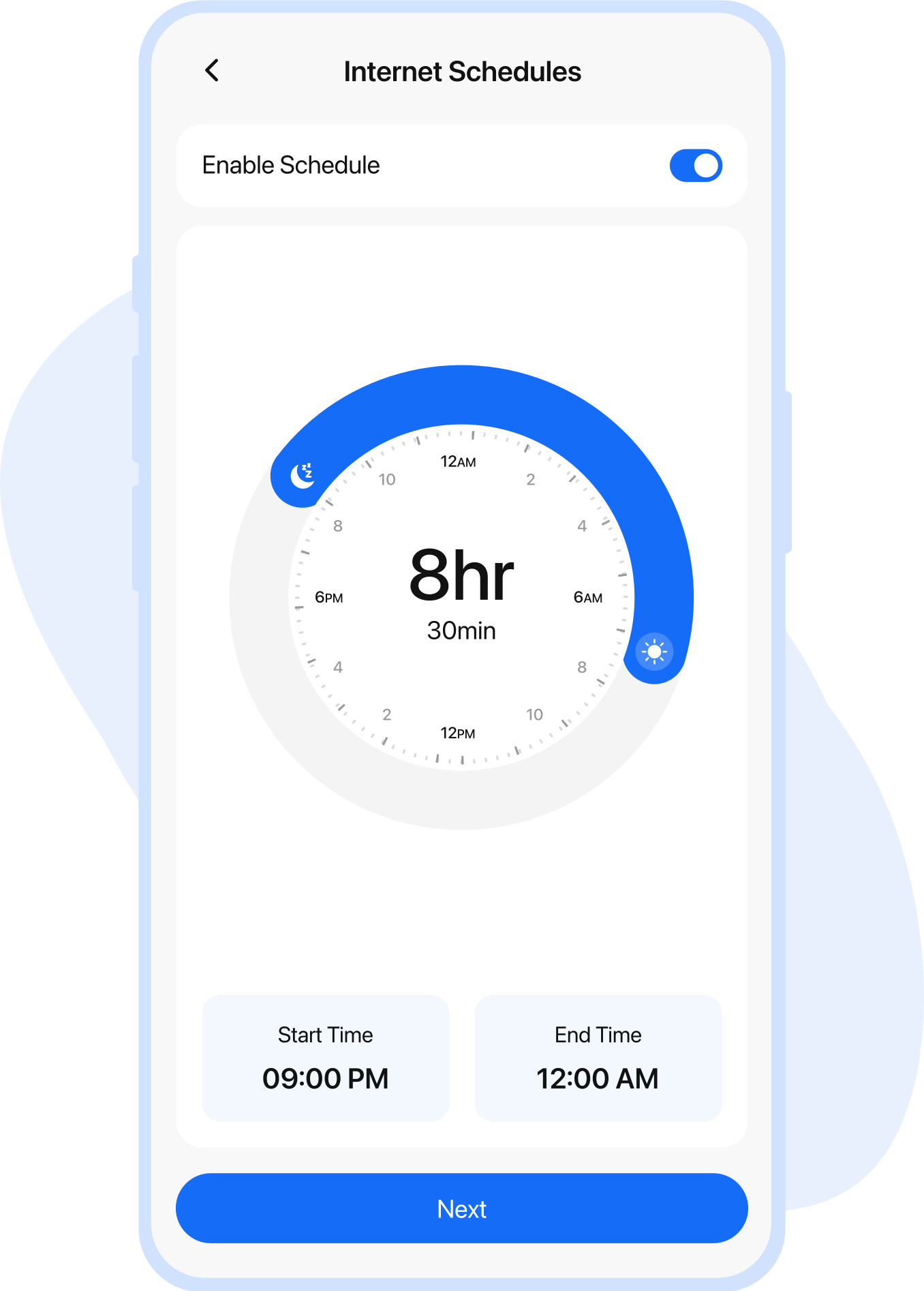
Custom Schedule
Create your own customized schedule with no restrictions on days or timing.

Setting Up Internet Schedule
FamilyTime internet schedule feature is basic and extremely easy to activate with no complex hurdles. You have multiple options to make schedules based on your preferences.

Weekdays Internet Schedule
By turning on the weekday Internet Schedule, you can set the internet access time for your kids.

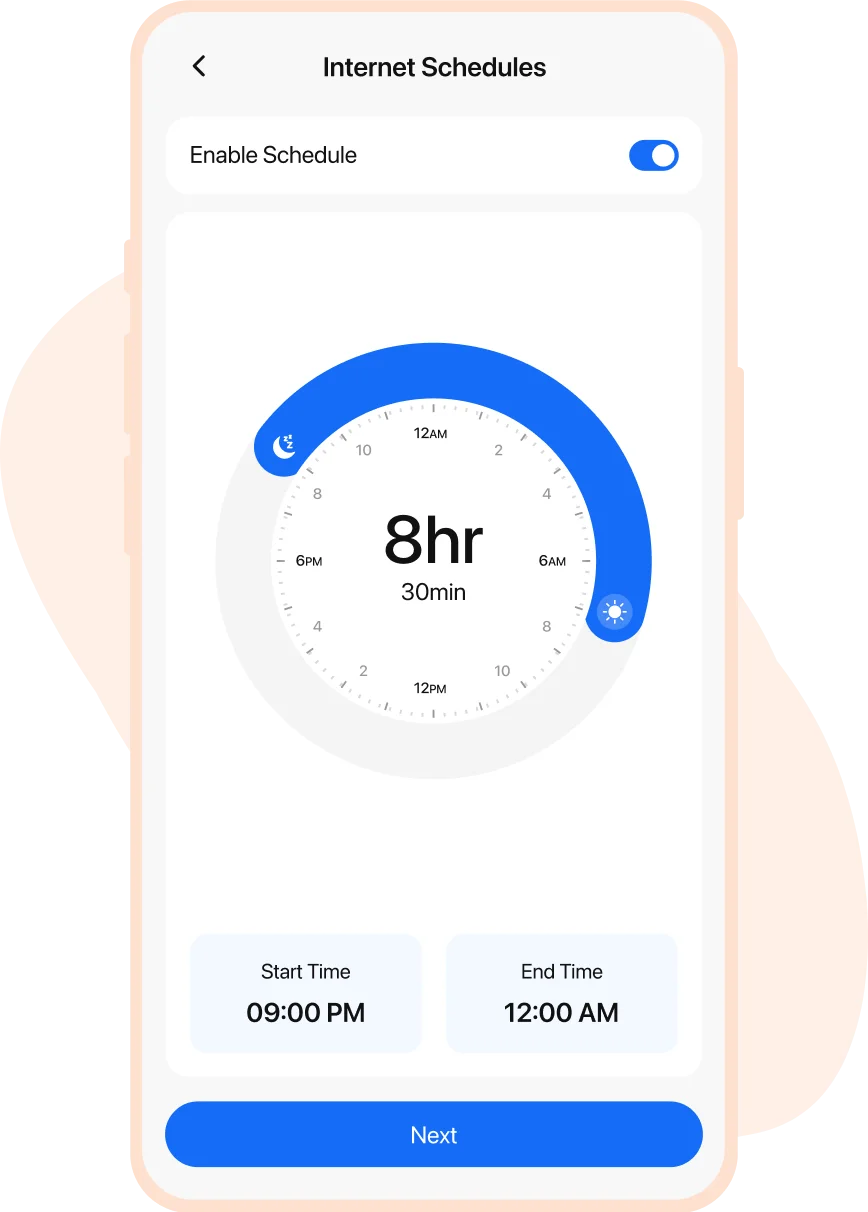
Create Your Schedule
Customize the internet schedule based on your preference without limitations on days or hours.
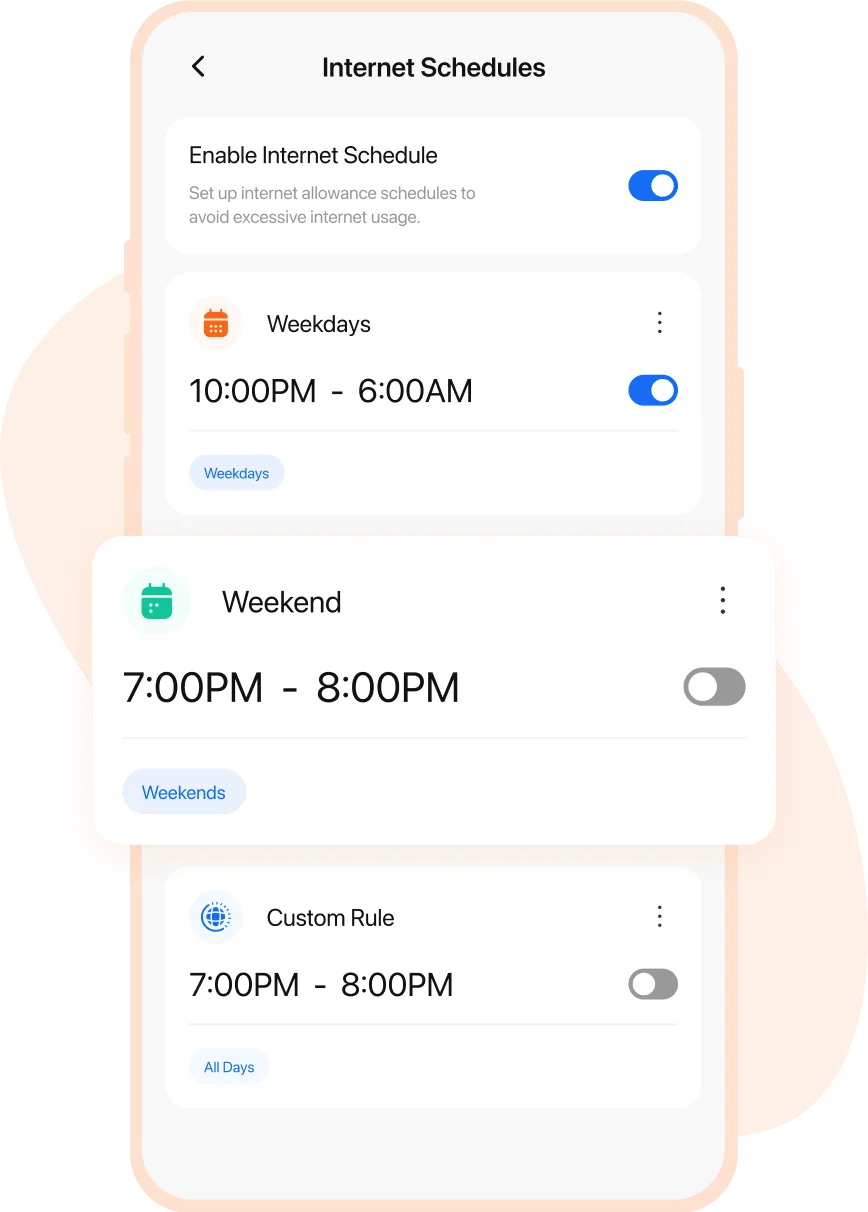
Weekend Internet Schedule
Turning on the Weekend Internet Schedule allows your kids to access the internet at a specific time
Real-life Stories by Real Parents

Lisa Jenson
Via App Store

Buying an iPhone for my kid was a careful decision, but I felt that my young one was too engrossed in using the device all the time. So, the FamilyTime iOS parental control app turned out to be my savior. Using daily screen time limits is such a blessing, helping to control my child’s screen addiction.

Edward Flynn
Via App Store
I am in love with the FamilyTime parental control app for iOS devices. It’s the best choice to make my child’s digital world safer. Using device usage schedules and content filters, I am at peace that my kid is not accessing anything inappropriate or explicit at all. I recommend other parents use the app.

Christian Brown
Via App Store
Observing my children aggressively using their iOS devices triggered me to look for iOS monitoring software, and I found FamilyTime. It has all the iOS parental controls I wanted, from screen time limits to content filters, web blockers, and even app blockers.

Stacy Watson
Via App Store
I was hell irritated with my kids playing games all the time and not paying attention to their study, dinner, and sleep routine. So, I got the FamilyTime iOS Parental control app. With a single tap, I can enable device downtime and block all third-party apps on their iOS devices.
How Internet Schedule Helps in Digital Parenting
The Internet Schedule effectively makes digital parenting easy for you by giving you power to control your child’s internet exposure.

Virtual Safety Guard for Kids
Shield your kids from inappropriate websites or apps and reduce the possibilities of their interaction with unsuitable content for an extended duration.

Avoid Eating and Sleeping Disorder
Less time to browse the internet leads to a digital life balance and lets kids have healthy eating and sleeping habits.

Minimize Social Networking Addiction
Limited internet connectivity on devices keeps the kids away from robust social media interactions that can be destructive for them.

Protect Kids from Cyber Spamming
Lesser internet usage keeps kids directional to specific tasks or activities, automatically saving them from any potential cyber spam.
Media Covered Us


Why FamilyTime is the Best Parental Control App
Take Back Control of Your Family Time with Effortless and Effective Digital Parenting

30-Day Reporting History

FREE Access to New Features

Uninstall Protection

Easy to Use Interface

Co-Parenting Made Easy

GDPR Compliance

One Account Multiple Devices
